
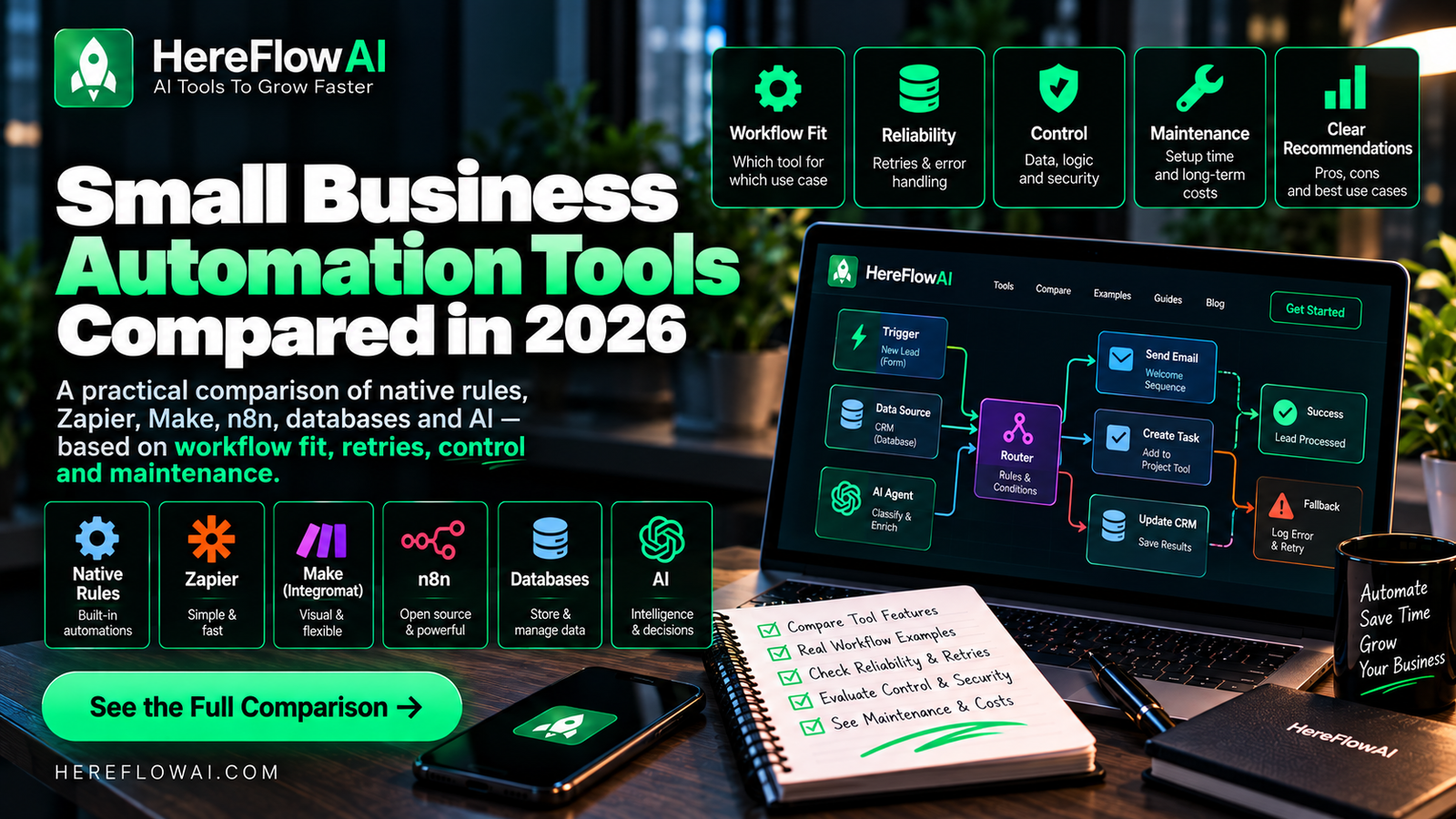

The best small business automation tool is usually the simplest layer that can solve the workflow reliably. That may be a native CRM rule, Zapier, Make, n8n, a spreadsheet/database queue, or an AI model for one language-heavy step.
Comparisons often start with feature counts. Small businesses should start somewhere else: source of truth, trigger quality, branching, retry behavior, permissions, monitoring, and who will maintain the workflow six months from now.
NOT SURE WHICH TOOL FITS YOUR WORKFLOW?
Small Business Automation Tools: Avoid Paying for Duplicates
Pick a tool only after mapping a real workflow: source, trigger, action, exception and owner. Many businesses already have automation features in their CRM, email software or ecommerce platform. Check those first before adding another monthly subscription.
Compare integration availability, operation limits, error handling, data residency, logs and maintenance. Build a pilot that survives one failure, not just a screenshot of success. Use our automation tool comparison and implementation checklist before upgrading.
Get a $49 AI Automation Audit
We look at the workflow first, then recommend the simplest reliable stack — whether that is native automation, Zapier, Make, n8n, AI, or a mix.
The six automation layers
1. Native app rules
Best for: work that begins and ends inside one system — lead assignment, status changes, reminders, simple approvals, basic notifications.
Why use it: fewer moving parts, fewer credentials, and less maintenance.
Limit: native rules become restrictive when the workflow spans several apps or needs complex exception handling.
If your CRM is HighLevel, compare a GoHighLevel setup service for pipelines, booking calendars and follow-up workflows. The guide includes a quote brief and delivery checks.
2. Zapier
Best for: fast SaaS-to-SaaS workflows with standard business apps and straightforward triggers/actions.
Zapier is often the shortest path when the goal is to connect common tools quickly. Its search actions can also help find existing data before later steps create or update records, which matters for duplicate control.
Tradeoff: complex branching and high task volume can make architecture and cost harder to manage if the workflow grows without discipline.
Need someone to build or repair your Zaps? Our Zapier consultant hiring guide includes service options, a quote brief and checks for ownership and delivery.
3. Make
Best for: visual multi-step scenarios, routers, transformations, and workflows that need more branching.
Make exposes orchestration visually, which can make complex data paths easier to reason about. Its documented Retry error handler can pause failed bundles and preserve information for retry.
Tradeoff: powerful scenarios can become difficult to maintain if every edge case turns into another branch.
Already choosing Make and need someone to implement it? Use our Make.com consultant hiring guide to define the scope, compare providers, and request a quote for setup, integrations, or scenario repairs.
4. n8n
Best for: API-heavy workflows, self-hosting, advanced AI workflows, custom logic, and teams that want deeper control.
n8n supports cloud and self-hosted deployment options, custom logic, execution history, retrying failed executions, and AI-oriented workflow building.
Tradeoff: more control means more technical ownership. Someone still needs to understand credentials, hosting, updates, execution history, and failure recovery.
Need help implementing your choice? Our n8n expert hiring guide covers workflow builds, integrations, deployment responsibilities, and how to request a scoped quote.
5. Spreadsheet or database layer
Best for: lightweight state tables, queues, logs, approval registers, and exception tracking.
A simple table can be more valuable than another automation app when the real problem is state visibility. It gives humans a control surface for what is pending, failed, approved, or completed.
Tradeoff: a spreadsheet is not a substitute for permissions, backups, or production database design when the workflow becomes critical.
6. AI model
Best for: classification, extraction, summarization, drafting, and other unstructured-language steps.
Tradeoff: do not move facts, thresholds, approvals, or high-impact actions into the model just because AI can generate an answer.
Small Business Automation 2026
Build reliable systems with 30 practical AI & no-code workflows across sales, marketing, support, finance and operations.
$14.99
LAUNCH PRICE
Zapier vs Make vs n8n: the practical decision
Choose Zapier when speed of setup matters most
If your business uses mainstream SaaS tools and the workflow is mostly linear, Zapier is often the fastest route from idea to working automation. This is especially useful when a non-technical owner needs to understand and maintain the setup.
Choose Make when visual orchestration matters
Make becomes attractive when the workflow needs routers, multiple branches, data transformations, or explicit error-handling paths and you want those paths visible on a canvas.
Choose n8n when flexibility and ownership matter
n8n is a stronger fit when you need custom API calls, code, self-hosting, deeper control over execution data, or more customized AI workflows. That flexibility is valuable only if someone can own the technical side.
Do not ignore native automation
The most common overengineering mistake is connecting a third-party platform to perform a rule the source system already handles. If the CRM can assign leads by territory, use the CRM rule. If the booking platform can stop reminders on cancellation, let the booking platform own that state.
Cross-app platforms should coordinate systems, not duplicate every feature inside them.
How to choose by workflow type
Lead capture and CRM handoff
Start with native form/CRM capabilities. Add Zapier, Make, or n8n when you need validation, deduplication across systems, enrichment, external notifications, or an exception queue.
Content repurposing pipeline
Make or n8n can be useful for branching into several channels, while an AI model handles rewriting from an approved source. Keep publishing approval separate.
Document intake and routing
Make or n8n can fit multi-step file processing and API-heavy storage. A spreadsheet/database review queue helps catch low-confidence classifications.
Invoice reminders
Native accounting reminders may be enough. If multiple systems need to coordinate, the automation layer should re-check the accounting system before every message.
AI-assisted support
The workflow platform handles triggers, context retrieval, account status, and routing. AI handles classification/drafting. A helpdesk or CRM remains the system of record.
Five questions before choosing a platform
- Where is the source of truth? The tool must respect the real system state.
- What happens on retry? Re-running a failed workflow must not create duplicate side effects.
- How will we see failures? Execution history and a human exception queue matter.
- Who owns credentials and permissions? Avoid broad access that nobody reviews.
- Who will maintain this in six months? Complexity has an operating cost.
Cost is more than the subscription
Compare total operating cost, not headline plan price. Include:
- platform subscription or execution usage;
- AI/API usage;
- hosting for self-hosted systems;
- maintenance time;
- exception cleanup;
- credential and integration changes;
- the cost of a failed workflow.
A “cheap” tool that creates hours of technical maintenance may cost more than a higher-priced tool your team can operate reliably.
When self-hosting n8n makes sense
Self-hosting can make sense when you want more deployment control, custom integrations, or you already manage servers. It is not automatically cheaper once backups, security, updates, monitoring, and owner time are counted.
If you are comparing hosting options specifically, see our Best n8n Hosting in 2026 guide.
Related HereFlowAI guides
For the workflows themselves, read Workflow Automation for Small Business. For AI-specific architecture, see AI Automation for Small Business. For a broader prioritization framework, use Automation for Small Business in 2026.
Sources and verification
- Zapier Help: search actions.
- Make Help: Retry error handler.
- n8n official documentation.
- n8n execution history and retry documentation.
FAQ
What is the best automation tool for small business?
There is no single best tool. Native rules are best for simple single-system work; Zapier is strong for fast mainstream SaaS connections; Make is strong for visual branching; n8n is strong for custom/API-heavy workflows and technical control.
Is n8n better than Zapier?
n8n offers more customization and deployment control, but Zapier can be easier for standard SaaS workflows and non-technical maintenance. The better choice depends on workflow complexity and technical ownership.
Is Make better than Zapier?
Make is often attractive for visual multi-step orchestration and complex branching. Zapier is often faster for straightforward app-to-app automation. Evaluate the actual workflow, not a generic feature list.
| Layer | Best when | Main advantage | Watch out for |
|---|---|---|---|
| Native rules | Single-system work | Lowest complexity | Limited cross-app logic |
| Zapier | Fast SaaS connections | Easy setup | Growing task/logic complexity |
| Make | Branching scenarios | Visual orchestration | Scenario sprawl |
| n8n | API-heavy / custom work | Control and flexibility | Technical ownership |
| AI model | Unstructured language | Classification / drafting | Validation and permissions |
Small Business Automation 2026
Build reliable systems with 30 practical AI & no-code workflows across sales, marketing, support, finance and operations.
$14.99
LAUNCH PRICE



[…] our Zapier, Make, and n8n comparison. For workflow planning, see small business automation […]
[…] our Zapier vs Make vs n8n comparison for platform selection. If another platform fits your project, see the Make.com consultant guide or […]
[…] our detailed comparison of small business automation tools before choosing a […]
[…] you are comparing platforms, our guide to Zapier vs Make vs n8n for small-business automation explains where each type of tool […]
[…] For platform comparisons after you choose a workflow, read Small Business Automation Tools: Zapier vs Make vs n8n. […]
[…] test ideas, see our small business workflow examples. If the platform is still undecided, compare Zapier, Make, and n8n; buyers choosing Make can use our Make.com consultant […]
[…] For a detailed comparison, read Zapier vs Make vs n8n for small business. […]
[…] the broader software comparison, see Zapier vs Make vs n8n for small business. This article answers a different buying question: what will it take to migrate the workflows you […]