
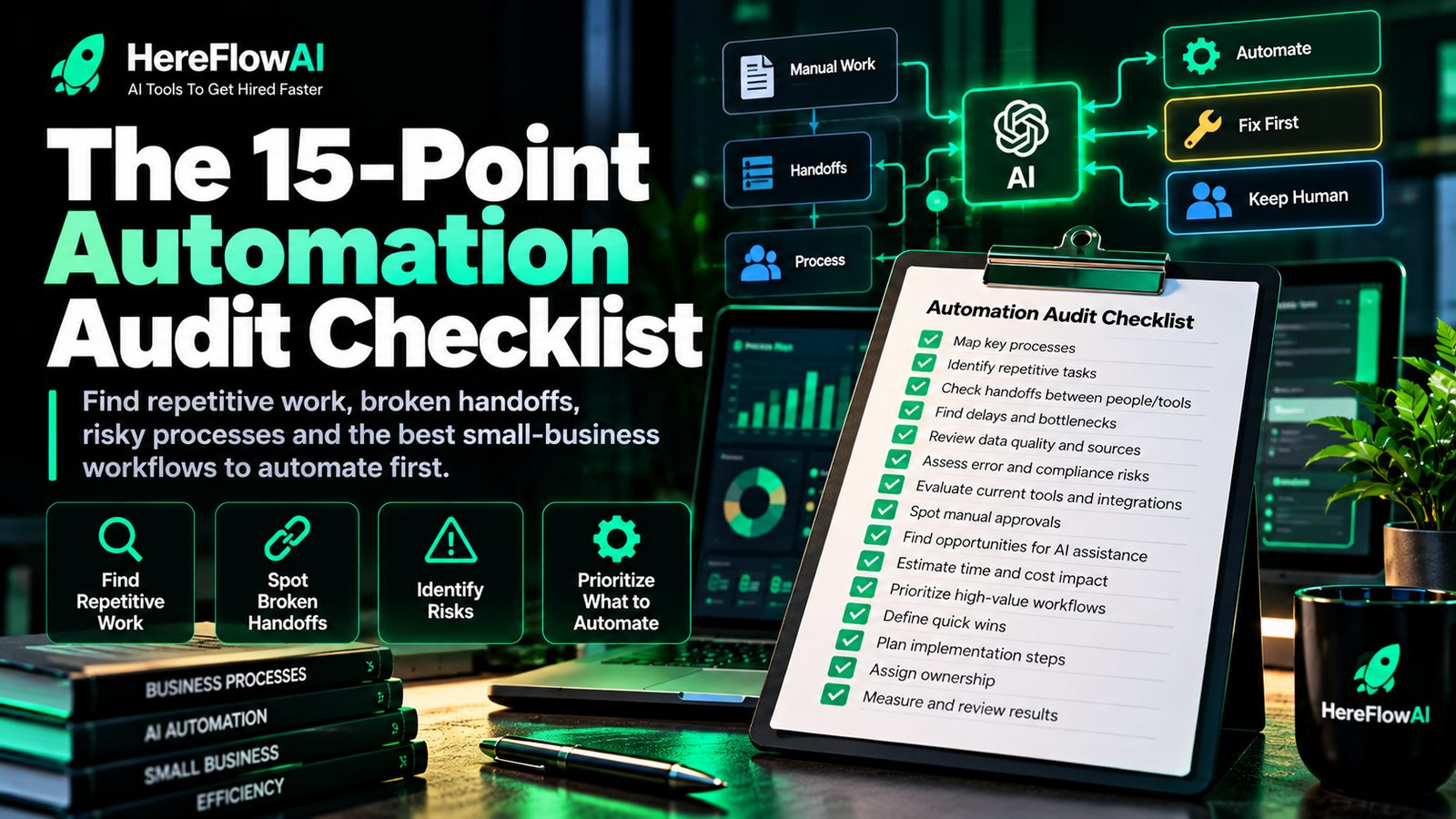

Quick answer: a small business automation audit checklist helps you review repetitive work before buying more software. The best checklist looks at frequency, time, data quality, handoffs, exceptions, risk, ownership and how easy the result is to measure.
Small businesses rarely need to automate everything. They need to identify the few workflows where manual effort, missed follow-up, duplicate entry or slow handoffs are creating the most friction.
This checklist is designed to help you inspect those workflows one by one. Use it before you invest in a new automation platform, hire a consultant or ask AI to run part of your operations.
HEREFLOWAI SERVICE
Want a clear automation plan for one real workflow?
The $49 AI Automation Audit reviews one important business workflow and delivers 3 prioritized automation opportunities, a workflow blueprint, recommended tools, human-approval points and a practical implementation path.
How to use this automation audit checklist
Do not audit the entire company at once. Pick one recurring workflow with a clear start and finish. Examples include:
- New lead → first follow-up
- Customer request → resolved ticket
- Quote request → approved quote
- Client signup → completed onboarding
- Invoice due → payment reminder
- Form submission → CRM record
- Weekly data → management report
Then score that workflow against the 15 checks below.
15-point small business automation audit checklist
1. Is the workflow repeated often enough?
Automation is more valuable when the same work happens regularly. A task performed once every six months is usually a weaker candidate than something repeated daily or weekly.
2. Does the workflow have a clear trigger?
Good automations need a reliable starting event: a form submitted, an email received, a status changed, a payment recorded, a new row created or a scheduled time reached.
3. Are the inputs predictable?
If every request arrives in a different format with missing information, automation will struggle. Standardized forms, fields and naming conventions make automation more reliable.
4. Are people re-entering the same data?
Repeated copy-and-paste between email, spreadsheets, CRMs and project tools is one of the clearest automation signals.
5. Are there manual handoffs?
Whenever one person must remember to notify another, assign a task or move information into another system, there is a possible automation opportunity.
6. Does the workflow depend on memory?
Follow-ups, reminders and status checks are often better handled by systems than by memory. If “someone has to remember” is part of the process, mark it.
7. Are the decisions rule-based?
Rules such as “if budget is above X, assign to sales” or “if a document is missing, request it” are strong candidates for normal automation.
8. Could AI help with unstructured information?
AI may be useful when the workflow includes free-text emails, documents, call notes or messages that need classification, extraction or summarization.
9. Where are the exceptions?
Every workflow has edge cases. Document them before automation. If exceptions are frequent or unpredictable, the process may need more human involvement.
10. What must remain under human approval?
Do not automate a high-impact decision just because it is technically possible. Identify which outputs require a person to approve, reject, edit or escalate.
The NIST AI RMF Playbook specifically discusses defining and documenting human oversight for AI systems, especially in higher-risk contexts.
11. What systems are involved?
List every tool the workflow touches: CRM, email, calendar, spreadsheets, accounting, help desk, forms, project management, databases or custom apps.
12. Is there a clear owner?
Automation does not remove ownership. Someone should still be responsible for the workflow, exceptions and whether the output is correct.
13. Can you define a correct result?
Before automating, write down what “done correctly” means. If the team cannot agree on a correct output, testing the automation will be difficult.
14. Can the result be measured?
Useful metrics may include response time, processing time, number of manual steps, error rate, missed follow-ups, completion rate or backlog size.
15. What happens when the automation fails?
Define a fallback. A reliable automation should make failure visible, route exceptions to a person and avoid silently losing work.
Simple automation readiness score
Use this scoring model for one workflow:
| Question | Score 0 | Score 1 | Score 2 |
|---|---|---|---|
| Frequency | Rare | Weekly | Daily/high volume |
| Inputs | Chaotic | Mixed | Structured |
| Rules | Mostly judgement | Mixed | Mostly clear rules |
| Manual effort | Low | Moderate | High/repetitive |
| Systems | Offline/unclear | Partly digital | Digital and connectable |
| Risk | High consequence | Moderate | Low/controlled |
| Measurement | No metric | Possible | Clear baseline |
A higher score does not mean “automate everything.” It means the workflow deserves closer review. Risk, customer impact and exception handling still matter.
10 workflows small businesses should audit first
Lead capture and routing
Check whether new enquiries are copied manually, assigned late, or lost between forms, inboxes and CRMs.
Sales follow-up
Look for reminders that depend on memory, inconsistent follow-up timing or contacts with no next action.
Customer support triage
Review how requests are categorized, assigned, escalated and answered. AI can assist with classification, but sensitive or unusual cases may still need a person.
Client onboarding
Audit welcome emails, document collection, account setup, task creation and status updates.
Appointment workflows
Review booking confirmation, reminders, rescheduling, cancellation handling and post-appointment follow-up.
Invoice reminders
Check whether overdue invoices are identified and followed up consistently without duplicating messages.
Document processing
Look for repeated extraction, renaming, classification, data entry or routing.
CRM updates
Audit manual entry, missing fields, duplicated contacts and inconsistent stage changes.
Internal reporting
Review reports that require someone to pull data from several sources and rebuild the same spreadsheet every week.
Content operations
Look at briefing, drafting, review, approval, publishing and distribution handoffs.
For platform comparisons after you choose a workflow, read Small Business Automation Tools: Zapier vs Make vs n8n.
Red flags: do not automate this workflow yet
- The process changes every time.
- Nobody can agree on the real steps.
- The data is consistently incomplete or inaccurate.
- The workflow contains high-impact judgement with no defined review.
- There is no owner for exceptions.
- The outcome cannot be tested.
- You are automating only because a new tool looks impressive.
What to do after the audit
Put each workflow into one of four buckets:
| Decision | Use when |
|---|---|
| Automate now | Process is clear, repetitive, measurable and low/controlled risk |
| AI assist | Unstructured information needs classification, extraction or drafting with review |
| Fix process first | Steps, ownership or data are inconsistent |
| Keep human | Judgement, risk or exceptions dominate the workflow |
If you want a broader framework for deciding what to automate first, see Automation for Small Business in 2026.
HEREFLOWAI SERVICE
Want a clear automation plan for one real workflow?
The $49 AI Automation Audit reviews one important business workflow and delivers 3 prioritized automation opportunities, a workflow blueprint, recommended tools, human-approval points and a practical implementation path.
5-minute next step
Pick one workflow today and answer these five questions before opening any automation tool:
- What starts the workflow?
- Where is the most repetitive manual step?
- Which exception causes the most trouble?
- What must a human still approve?
- What metric would prove the workflow improved?
Those five answers are enough to decide whether the process is ready for a deeper audit or needs cleanup first.
Frequently asked questions
What is a small business automation audit?
It is a structured review of a business workflow to find repetitive tasks, broken handoffs, duplicate data entry, delays and safe automation opportunities.
How long should an automation audit take?
A focused audit of one workflow can be much faster than a full operational review. The time depends on complexity, number of systems and how clearly the process is documented.
Should I choose Zapier, Make or n8n before the audit?
No. Choose the workflow first. Tool selection should follow the requirements, not lead them.
Can AI automate every repetitive task?
No. Some repetitive tasks still contain important judgement, sensitive information or exception handling that makes human control necessary.
What is the best first workflow to automate?
Usually one that is frequent, digital, rule-led, measurable and painful enough that improving it matters. The best candidate also has a clear owner and safe fallback.



[…] or expose private data. Measure time saved against model/API, setup and maintenance cost. See our automation readiness checklist and AI automation audit […]
[…] time saved and acceptable error rate, not the number of AI models or connected apps. Use the automation audit checklist and compare AI automation tools before selecting a paid […]
[…] tool costs and provide a manual fallback for outages. For a ready-to-run scoping sequence see our small-business audit checklist or n8n expert hiring […]
[…] that survives one failure, not just a screenshot of success. Use our automation tool comparison and implementation checklist before […]