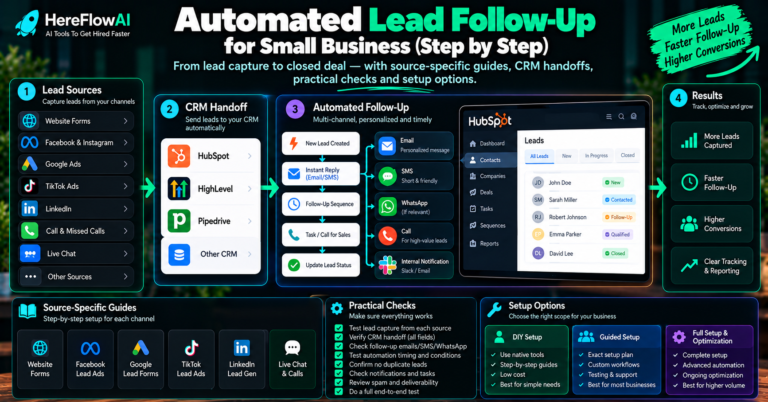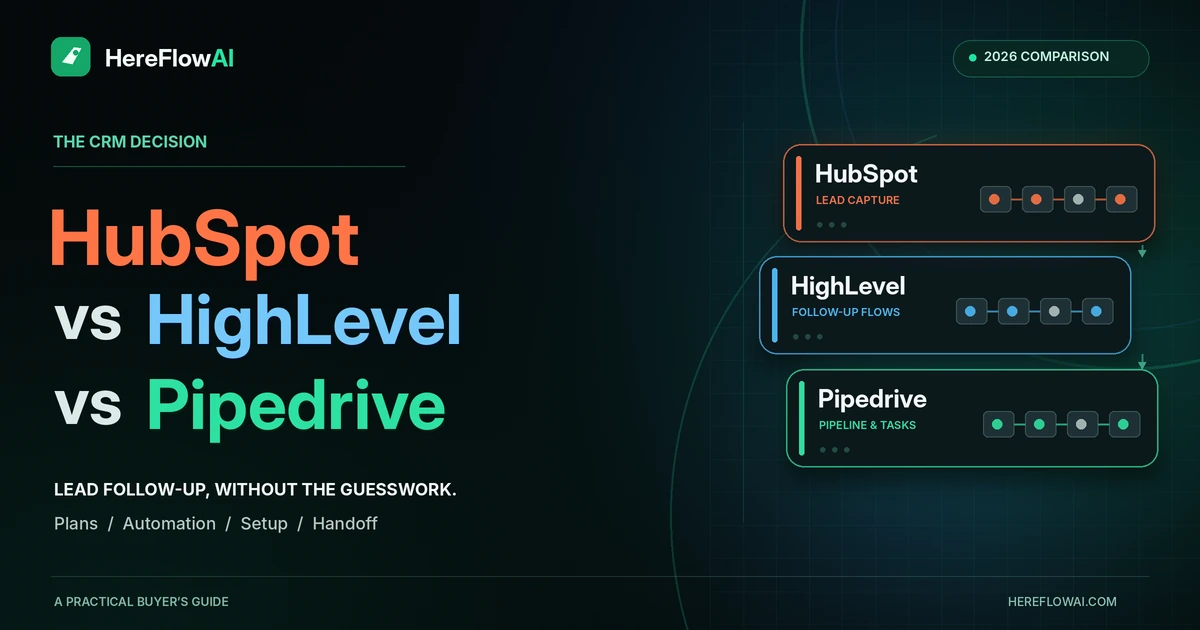

Lead follow-up software should make the next action visible: who owns the enquiry, which message or task happens next, and when automation must stop. For a small business, HubSpot, HighLevel and Pipedrive offer different approaches. Choose according to your existing CRM, required communication channels and actual plan permissions.
Quick choice: investigate HubSpot first when your team already works there; consider HighLevel when you need a combined service-business CRM and communications platform; consider Pipedrive when your priority is a sales pipeline with clear activities and sequences. Verify the same sample workflow in the exact plan before committing.
This is a documentation-based comparison of three options, checked on October 19, 2026. It is not a hands-on speed benchmark or a claim that one tool suits every business.
Lead follow-up software at a glance
| Option | A useful fit | What to verify before paying |
|---|---|---|
| HubSpot | A business that already manages contacts and sales activity in HubSpot | The exact Sales or Service tier, assigned seat, sender and sequence enrollment rules |
| HighLevel | A service business wanting CRM, forms, calendars and communication workflows in one platform | Usage charges, source connection, responsible owner and workflow response behavior |
| Pipedrive | A sales team organizing leads, deals, activities and repeatable follow-up | Growth-or-higher eligibility, email synchronization and sequence automation settings |
The recommendations above are editorial fit assessments. They do not imply that the cheapest tier supports every action in your proposed workflow.
First response, ongoing follow-up and speed to lead
Lead response automation handles the first receipt, record update, assignment or alert after an enquiry becomes available. Ongoing follow-up manages later messages and tasks while respecting replies, bookings and other stop conditions.
If you are looking for automated lead follow-up software, specify which of those jobs you need. An automatic receipt is useful, but it does not prove that a salesperson has reviewed the request or started a conversation.
A speed-to-lead requirement may call for more specialized routing, a ready sales representative, a callback or booking capability. Record the source submission, CRM arrival, acknowledgement and first meaningful response separately. A fast connector alone cannot make an unavailable team respond.
For the process before the tool decision, read the complete small business lead follow-up automation guide.
Which lead follow-up software fits your workflow?
HubSpot: evaluate the tools already around your contacts
HubSpot is worth evaluating first if your team already uses its contact records and sales tools. Its documented sales sequences combine timed email steps with tasks. The feature requires Sales Hub or Service Hub Professional or Enterprise, plus an assigned Sales or Service seat. A connected individual work email address is required; a team inbox is not the same sender configuration.
Check how contacts enter the sequence and what ends it. HubSpot supports settings for removal after a reply or meeting booking, but eligibility and configuration matter. See the official sequences requirements.
Useful next check: confirm the exact source connection, sender and enrollment event rather than treating the presence of a CRM contact as a complete follow-up system. Our HubSpot setup and expert-hiring guide helps define an implementation brief.
HighLevel: consider the combined workflow and communications scope
HighLevel lists CRM pipelines, forms, booking calendars, workflow automation and communication features in its platform. That makes it relevant when a service business wants several of these functions together. Its published Starter subscription is $97 per month; telecommunications, emails and some AI capabilities can add usage-based charges.
Its workflow Stop on Response setting deserves a specific test. The vendor says it concerns replies to communications from that workflow; manual communications or another workflow do not automatically have the same effect. See HighLevel pricing and usage qualifications and the response-setting documentation.
Useful next check: describe the source, communication channel and stop event in your brief. The HighLevel setup guide covers how to scope specialist help.
Pipedrive: evaluate the sales pipeline and next activity
Pipedrive is relevant when the team works around leads, deals and scheduled sales activities. Its documentation makes Sequences available on Growth and higher plans, with email steps and activities. Automations can be combined with sequences to enroll eligible leads or deals.
Check whether an email step is a draft, a task for a person or an automatically sent message. Those are different operating decisions. Also confirm the sender connection and the product’s required authorization for automated sending. Consult Pipedrive Sequences and automatic sequence enrollment.
Useful next check: demonstrate one new lead and one existing contact with a new request. A clear activity list is helpful only if it creates the next action your team actually needs.
Compare the feature tier and the total operating cost
| Software | Cost basis to compare | Important qualification |
|---|---|---|
| HubSpot | The selected paid seats and feature tier; add applicable onboarding or other product charges | Sales sequences require an eligible Professional or Enterprise product and an assigned seat. A free contact database is a different scope. |
| HighLevel | Starter is listed at $97/month, with separate usage-based charges | Check email, SMS, phone and AI consumption as applicable. A platform subscription does not include implementation work. |
| Pipedrive | Per-seat subscription for the selected tier, billing term and any required add-ons | Growth and higher include the documented Sequences feature. Confirm the checkout currency and current term rather than converting a localized price. |
Pricing checked October 19, 2026. Use the vendor’s current checkout for your currency, seat count, billing commitment and applicable charges: HubSpot Sales pricing, HighLevel pricing and Pipedrive pricing. These are direct vendor links.
Compare the following over the same period:
- Required software subscriptions and seats.
- Message, call, number, connector or AI usage that your workflow needs.
- One-time implementation and any data migration.
- The agreed maintenance and recovery responsibility.
- The work a person must still do after receiving the lead.
A single acknowledgement workflow and a full multi-channel sales sequence are different purchases. Price the actual scope before comparing quotes.
Six tests to request before buying or accepting the setup
The following is a proposed test plan, not a report of tests already run on these vendors. Use controlled records and approved test recipients in the account and plan you intend to use.
| Test | What should be demonstrated | Evidence to request |
|---|---|---|
| A new enquiry | Required fields reach the intended destination and an owner is assigned | Source ID, CRM record and owner |
| An existing contact with a new request | The new request remains visible without an unintended second contact | Existing contact ID and the new request activity |
| A repeated delivery of one submission | No unintended repeat acknowledgement or task | Event and action history |
| Customer reply or booking | The correct delayed follow-ups stop according to the configured rule | Reply/booking event and the remaining sequence state |
| Missing or unusable required data | An agreed review or error path is visible | Assigned review task or error record |
| A temporarily unavailable action | The team can identify the failed step and recover without blindly repeating successful actions | Failure status and documented recovery steps |
Ask for source delivery and downstream processing timestamps separately. Some source connections have their own schedules. Our Facebook Lead Ads to HubSpot guide explains the native sync window for that source.
For the data model and repeated-event behavior, use the CRM lead follow-up workflow guide.
Should you set it up yourself or hire someone?
DIY can fit when one supported source feeds one destination, your plan exposes the required actions, and you can explain and verify the complete flow.
Get a scoped implementation quote when ownership rules are unclear, several channels are involved, the same request produces repeated messages, or your team cannot reliably detect a failure. First decide whether the problem is the software, the source connection or the process.
Need one lead handoff built?
HereFlowAI’s $149 Lead Follow-Up Starter covers one compatible lead source, one CRM or Google Sheets destination, one approved email, basic routing and notification, testing and handover. Confirm the fit before buying.
Software fees, full sales sequences, SMS or voice channels, large migrations and ongoing monitoring are separate scope.
Check the $149 Starter scope · Ask whether your workflow fits
For broader CRM or multi-channel work, compare follow-up automation specialists on Fiverr and request a written scope covering the software tier, sources, actions, test evidence and handover. We have not independently verified every provider.
Affiliate disclosure: HereFlowAI may earn a commission from eligible purchases through the Fiverr link. That link is for specialist implementation, not a claim that these software vendors pay us a referral commission.
A short brief to send before requesting quotes
- Lead source: the exact form, ad form or inbox event.
- Destination: CRM, account, plan and fields to populate.
- First action: the approved receipt or task, and its sender.
- Owner: the person or supported routing rule.
- Stop event: reply, booking, closed request or another agreed condition.
- Acceptance: the test cases and evidence required before handover.
- Responsibilities: account ownership, access removal and ongoing support.
If those answers are unclear, clarify them before paying for more features. Our manual vs automated follow-up guide helps decide which actions belong with a person.
Frequently asked questions
What is the best lead follow-up software for a small business?
The best fit is the one that supports your actual source, owner rules, communication and stop conditions at a sustainable total cost. This guide compares three options for those requirements rather than naming a universal winner.
Do I need to switch CRM to automate follow-up?
Check your current CRM first. If its supported rules can handle the required steps, connecting one missing source may be a smaller project than migrating the whole sales process.
Does automated follow-up require AI?
No. Rules can handle acknowledgement, field updates, tasks and routing. Use AI only for a defined job, such as summarizing an unstructured request, with an appropriate review step.
Does the software price include implementation?
Do not assume it does. Separate the platform subscription, any vendor onboarding, the integration work and maintenance in the quote.
Is the $149 Starter a complete sales automation system?
It is one compatible first handoff. More sources, advanced sequences, custom integrations and additional communication channels require their own agreed scope.
Sources and review method
We used current vendor pricing and help documentation to verify the capabilities and plan restrictions discussed above. Fit recommendations and acceptance tests are our editorial framework. No live response-time, conversion-rate or deliverability benchmark was performed.