


Hire a HubSpot setup service to configure your CRM, move existing customer data or connect the apps your team already uses. Start with a defined result: a usable sales pipeline, a validated migration or a working lead handoff. Then request quotes for the same deliverables.
Find HubSpot setup providers on Fiverr →
Opens Fiverr Marketplace. Search “HubSpot setup”, compare relevant providers and ask for a scoped quote before ordering.
Copy the quote brief · Check the delivery requirements
Affiliate disclosure: HereFlowAI may earn a commission from eligible purchases through our Fiverr links. We publish buying guidance and do not deliver this service or independently vet every marketplace provider.
Choose the HubSpot setup service you actually need
A new portal, a messy existing CRM and an integration failure are different projects. Describe your starting point before comparing packages. A seller offering basic configuration may not include migration, custom integrations or team training.
CRM configuration
Define properties, pipeline stages, views and record ownership around your sales process. Request a walkthrough showing how a user handles a new lead and updates a deal.
Data migration
Move agreed records from spreadsheets or another CRM. Include mapping, identifiers, associations, exception handling and validation. Treat historical activities as a separate compatibility check.
Integrations and automation
Connect a form, booking tool or another business app. Name the trigger, destination fields and expected behavior when a record already exists or an input is incomplete.
What should a HubSpot implementation include?
Request an asset list rather than a promise to “set everything up.” The list should name each pipeline, property, form, workflow, connection and report. Mark optional work separately so the provider can quote it without changing the core project.
Sales pipeline and team workflow
Give the consultant your actual sales stages and the conditions for moving between them. Explain who qualifies a lead, who owns the deal and which fields matter at each stage. Request a test deal that moves through the process without hiding incomplete information.
Lead capture and app connections
Specify where a lead arrives, how it reaches HubSpot and what should happen next. A useful acceptance case is a form submission that creates or updates the intended contact, preserves the source and reaches the right owner. Confirm whether setup includes the external app as well as HubSpot.
Reporting and handover
Define the business question each report must answer and the fields it depends on. Ask for a walkthrough using agreed sample records. A dashboard is only useful when your team understands its filters, date ranges and missing-data limitations.
Use our small-business workflow examples to select a bounded first project. Buying one complete, testable process is easier to assess than an undefined portal overhaul.
HubSpot onboarding versus hands-on setup
Read the scope of any onboarding package alongside the implementation quote. HubSpot describes its onboarding services as a personalized plan built around your goals. Confirm which tasks are guidance, which are done for you and who completes the configuration.
A freelancer’s setup package does not automatically replace an onboarding requirement in your HubSpot agreement. Ask HubSpot directly about your purchase terms before assuming any fee is waived. Keep the software subscription, vendor onboarding and independent implementation fees separate.
Check your HubSpot plan before buying automation
Ask the provider to list the subscription, seats and app permissions required for each deliverable. HubSpot’s workflow documentation lists Professional and Enterprise subscriptions for the full workflow tool, with additional requirements for some features. Basic CRM setup and advanced workflow implementation are different scopes.
If a proposed feature is unavailable in your account, ask for a supported alternative or a clearly priced dependency. Do not order an automation package on the assumption that your current plan includes every action shown in a seller’s demonstration.
HubSpot migration: agree the data rules first
A migration quote should identify the source system, objects, record volumes and relationships to preserve. Decide which system remains the source of truth during the move. Request a sample migration and written approval of the mapping before the full import.
- Objects and fields: contacts, companies, deals and the agreed properties.
- Identifiers: how imported rows match existing records.
- Relationships: which contacts, companies and deals should be associated.
- Existing values: which properties may be updated and which must be preserved.
- Exceptions: invalid rows, missing owners, unmatched values and unsupported history.
HubSpot’s official import guide explains unique identifiers, create-versus-update choices and options that prevent property overwrites. Ask the consultant to document the selected rules and demonstrate them on sample records. Review the error report as part of delivery.
Keep an export of the source data and agree the cutover process. Define how new or edited records are handled between the sample import and the final move. Request a reconciliation report showing imported, updated and rejected records rather than accepting a screenshot of the import completion screen.
How much does a HubSpot setup service cost?
There is no single reliable price for an undefined setup. Request an itemized quote based on your portal, data and integrations. Provider fees vary; a public package price may cover a narrower task than your project.
- Discovery: reviewing the process, account features and existing assets.
- Configuration: the named CRM assets and supported automation.
- Migration or integration: mapping, cleanup and connection work.
- Validation: agreed test cases and exception checks.
- Handover: documentation, training, revisions and support.
For an illustrative project, compare quotes for one sales pipeline, an agreed set of contact fields, one form handoff and a sample data import. Add the full migration only after the sample passes. This separates configuration effort from cleanup work without inventing a market price.
How to choose a HubSpot consultant
Shortlist providers who can explain your specific workflow and current HubSpot account. Ask for a relevant demonstration with private client data removed. Reviews help with screening, but your written scope determines what is included in the order.
- Have they implemented the HubSpot products and integrations you use?
- Can they name the account requirements before quoting?
- Do they explain how existing data and active workflows will be handled?
- Will they supply test evidence, documentation and a handover?
- Are revisions, exclusions and post-launch support clearly defined?
For an agency or official partner route, explore the HubSpot Solutions Directory. HubSpot’s directory guide describes filters for service, industry and country. Verify each provider’s current listing and suitability; a Fiverr listing alone does not establish HubSpot partner status.
Request a HubSpot setup service quote
Copy this brief and send the same version to your shortlist. Redact customer data when asking for an initial quote.
Starting point: [new portal / existing portal / source CRM], [HubSpot products and plan], [team size].
Goal: [the process the team must run after delivery].
CRM scope: [pipelines, stages, properties, users and views].
Data scope: [objects, approximate volume, source format, relationships and cleanup needs].
Connections: [source app] → [HubSpot object and fields] → [required next action].
Acceptance: sample migration, test cases, asset list, documentation and handover walkthrough.
Budget and timing: [budget range], [target date], [support window]. Please itemize dependencies, exclusions, revisions and recurring costs.
Compare HubSpot providers with this brief →
After Fiverr opens, search “HubSpot setup” and message relevant sellers. Confirm the custom scope before ordering a listed package.
Delivery checklist before accepting the setup
Agree these checks before work starts and use controlled test records. Identify who approves the launch and which existing assets must remain active.
- CRM: users can find, update and assign the intended records.
- Pipeline: the test deal follows your documented stages.
- Migration: identifiers, field values and associations match the approved sample.
- Lead handoff: a new lead reaches the expected record and owner.
- Repeat event: another submission follows the agreed duplicate or update rule.
- Incomplete data: missing values take the agreed exception path.
- Handover: your team receives the asset list, operating instructions and support terms.
Access and ownership after handover
Use the access controls available in your account and give the provider the permissions needed for the agreed work. Confirm who owns external app connections and who can maintain them. Review access after delivery while checking that the implemented process still works.
When the project needs another automation specialist
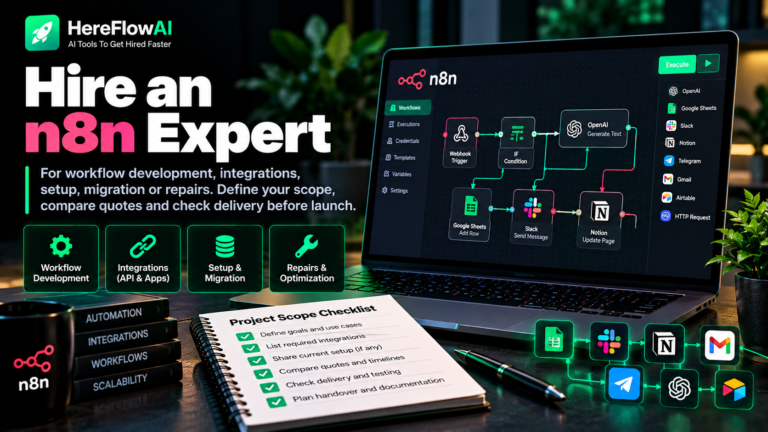
A HubSpot setup service should focus on the CRM and its agreed business process. If the work mainly concerns an external automation platform, include that expertise in the brief. See our Zapier consultant guide, Make.com consultant guide and n8n expert guide for that part of the project.
If you are still choosing the CRM, compare the implementation requirements with our GoHighLevel setup service guide. Choose the platform before paying someone to recreate the same process in two systems.
HubSpot setup service FAQ
Can I hire someone for a small HubSpot setup?
Yes. Define one pipeline, a bounded field set or one integration. Request a quote for that task with testing and handover rather than buying a broad package with unclear limits.
Does setup include a HubSpot subscription?
Only if the quote explicitly says so. Ask for separate implementation and software costs, and confirm which account features are required before purchasing or changing a plan.
Can a consultant migrate my existing CRM?
They can assess the source data and supported migration route. Ask them to verify objects, fields, history and relationships before promising a complete transfer. Start with a representative sample.
Does a HubSpot setup service include ongoing support?
Only when specified. Define the support period, covered fixes, response expectations and price of later changes. Assign an internal owner for the delivered process.
Compare HubSpot setup service options
| Route | Suitable scope | Check before buying |
|---|---|---|
| Fiverr provider | A bounded CRM setup, migration or integration project. | Browse Fiverr providers → Relevant experience, limits, test evidence and handover. |
| Solutions Directory partner | Researching specialist agencies and partners. | Current directory listing, service fit, availability and proposal. |
| HubSpot onboarding | A vendor onboarding plan aligned with your purchased services. | Guidance versus done-for-you tasks, purchase terms and your team’s responsibilities. |
| Internal setup | A small process your team has time and skills to maintain. | Account capabilities, data rules, testing and a named owner. |

[…] your team is considering HubSpot for its CRM, compare the scope in our HubSpot setup service guide before commissioning a migration or rebuilding the sales […]
[…] an implementation quote? We maintain a HubSpot specialist hiring guide and a WordPress developer hiring checklist. You can also compare relevant implementation providers […]
[…] relevant providers using our HubSpot setup service hiring guide and WordPress developer […]
[…] custom Meta permissions, advanced routing and API issues, see our HubSpot Setup Service expert-hiring guide or compare relevant […]