

⚠️ Disclosure: This page contains affiliate links. If you buy through them, we may earn a commission at no extra cost to you.
Most guides on this topic are published by companies selling automation services. That’s worth knowing when you read that automation delivers “340% ROI with a 2.3-month payback.”
The independent numbers are more modest — and more useful.
The Goldman Sachs 10,000 Small Businesses survey found 71% of SMBs that deployed workflow automation reported positive ROI within 12 months, with a median payback of 7.4 months. Positive, real, and considerably slower than the vendor claims.
💡 The single most important rule: fix the process before you automate it. Automating a broken workflow just makes the mess run faster.
Table of Contents
1. The Honest ROI Numbers
| Finding | Source |
|---|---|
| 71% of SMBs saw positive ROI within 12 months | Goldman Sachs 10,000 Small Businesses survey |
| Median payback: 7.4 months | Goldman Sachs 10,000 Small Businesses survey |
| Owners spend ~40% of time on admin | SBA Office of Advocacy |
| 20–35% overhead reduction in 6 months | McKinsey research |
| 65%+ of sub-100-employee firms by 2027 | Gartner projection |
| ⚠️ Treat carefully: "340% ROI" and "saves 20–35 hrs/week" appear mostly on blogs of agencies selling automation services | |
What’s credible:
- 71% of SMBs deploying workflow automation saw positive ROI within 12 months (Goldman Sachs 10,000 Small Businesses survey)
- Median payback: 7.4 months
- Small business owners spend around 40% of their time on administrative tasks (SBA Office of Advocacy)
- McKinsey research indicates operational overhead reductions of 20–35% within six months for client-facing and admin workflows
- Gartner projects over 65% of businesses under 100 employees will use at least one AI workflow automation tool by 2027, up from under 20% in 2024
What to treat carefully: figures like “340% first-year ROI” and “saves 20–35 hours per week” appear mostly on the blogs of agencies selling automation services. They may be real for specific clients. They aren’t a baseline.
Plan for 7 months to payback, not 2. If it comes faster, good.
2. Fix the Process First
This is where most small business automation projects fail, and it happens before any tool is opened.
If your invoicing process is chaotic, automating it produces chaos on a schedule.
Before you automate anything
Week 1 — track where time actually goes
Open a spreadsheet. Three columns: task, minutes spent, times per week. Fill it in for one week, honestly.
Most owners are surprised. The task that feels worst is rarely the one consuming the most hours.
Week 2 — simplify what you found
For your top three time sinks, ask:
- Does this step need to exist at all?
- Can two steps merge into one?
- Is anyone actually reading this output?
Cut what you can. Then automate what’s left.
⚠️ The rule: you cannot automate a decision nobody has made. If your team handles the same situation three different ways, decide the correct way first — otherwise you’re encoding confusion.
The AI Automation Starter Kit 2026
Every automation in this article, with the build steps, the tools, the pricing, and the prompts. Written for people who'd rather run the workflow than pay someone $1,500 to run it for them.
3. How to Choose Your First Automation
Three criteria, all of which must be true:
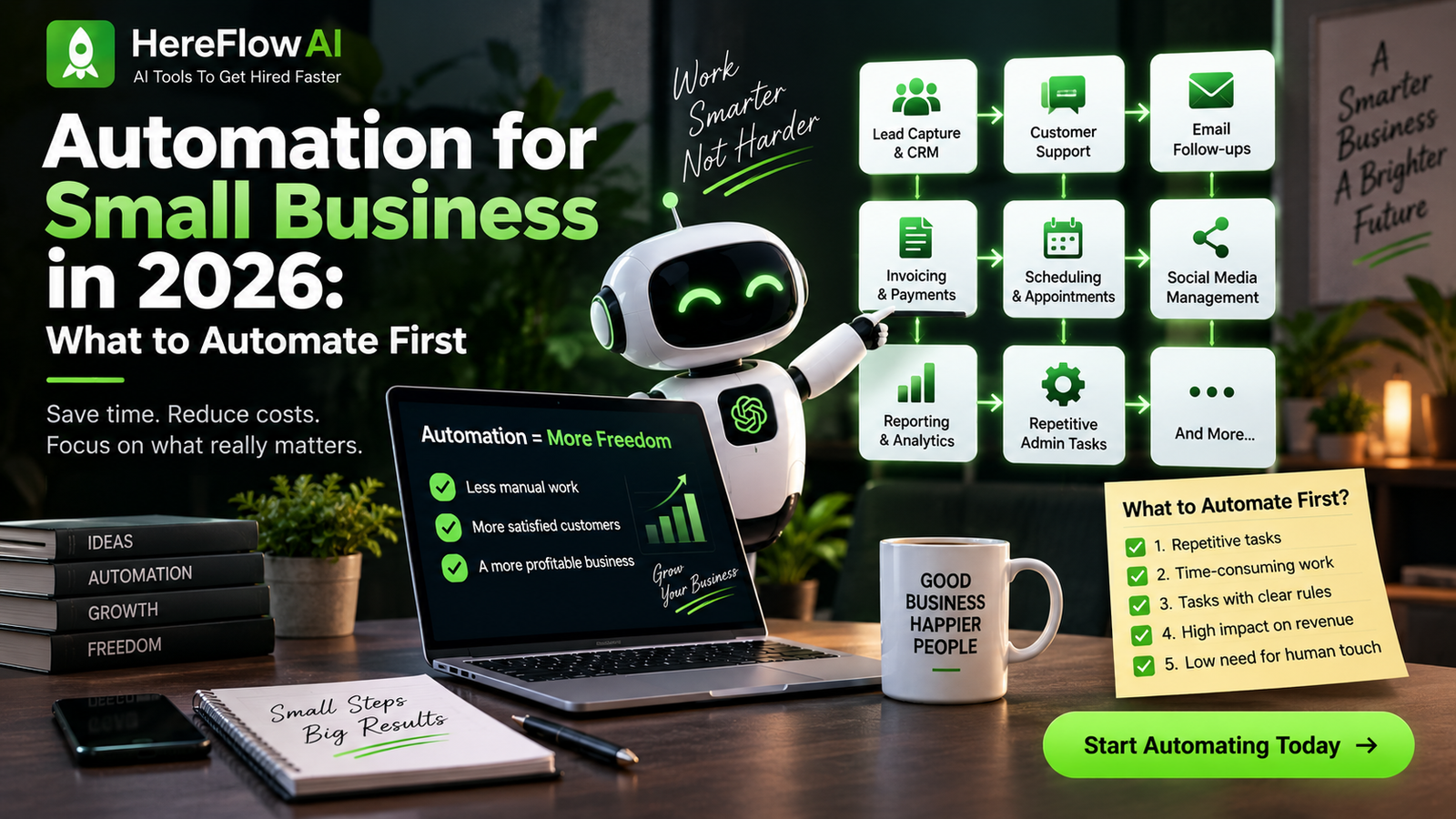
1. High frequency. Happens weekly or more. A process that runs twice a year saves nothing.
2. Rule-based. Same steps each time. If it requires judgement, it stays human.
3. Low stakes. A wrong result is annoying, not catastrophic. Don’t start with payroll.
The scoring approach
| Question | Score |
|---|---|
| How often per week? | × times |
| Minutes each time? | × minutes |
| Weekly minutes | = multiply |
| Rule-based? | ✓ Yes = keep ✕ No = drop |
| Low stakes? | ✓ Yes = keep ✕ No = drop |
Automate the highest weekly-minutes task that passes both filters. Not the most annoying one — the most expensive one.
4. The 10 Highest-ROI Categories
| # | Category | Why it ranks here |
|---|---|---|
| 1 | Lead response & follow-up | Response speed correlates directly with conversion |
| 2 | Invoice processing & chasing | Direct revenue impact, universally postponed task |
| 3 | Appointment booking | Eliminates scheduling back-and-forth entirely |
| 4 | Email follow-up sequences | Runs without anyone remembering |
| 5 | Lead qualification | Sales time goes to qualified prospects only |
| 6 | Customer support triage | Routine questions answered, complex ones escalated |
| 7 | Social media scheduling | Consistency without daily effort |
| 8 | Reporting | Recurring, rule-based, time-consuming |
| 9 | Client onboarding | Every client gets the same professional start |
| 10 | Review requests | Asked automatically instead of never |
Consistently reported across independent sources:
🥇 Lead response and follow-up — the highest-return category almost universally. Response speed correlates directly with conversion.
🥈 Invoice processing and chasing — direct revenue impact, universally hated task.
🥉 Appointment booking — eliminates scheduling back-and-forth entirely.
Then: email follow-up · lead qualification · customer support triage · social media scheduling · reporting · client onboarding · review requests
Where the highest returns show up by industry: real estate (lead qualification at volume), coaching and education (enquiry and enrolment), and healthcare (appointment management).
5. What It Actually Costs
| Setup | Monthly cost | What you get |
|---|---|---|
| Free / testing | $0 | Zapier free tier (100 tasks/mo) or n8n self-hosted |
| Minimal stack | $50–200 | One workflow tool + AI API + basic CRM |
| Typical small business | $200–800 | Full stack: CRM, workflows, email, AI layer |
| One-off setup (20 people) | $1,500–5,000 | Professional implementation across departments |
The ranges reported across sources:
Minimal stack        $50–200/month
Typical small biz    $200–800/month
Setup (20-person)    $1,500–5,000 one-off
Free tiers worth knowing: Zapier’s free plan allows 100 tasks/month — enough to test a simple two-step automation before paying anything. n8n self-hosted is free entirely, if you can run it.
The honest read: if a process costs you 4 hours a week and your time is worth $40/hour, that’s $640/month. A $200/month stack that recovers half of it still pays for itself.
6. The Five Mistakes
| Mistake | What happens |
|---|---|
| Automating a broken process | The mess runs faster |
| Doing everything at once | Ten half-finished workflows, none reliable |
| Skipping error handling | Silent failures cost you customers |
| Choosing for today, not next year | Migration in 18 months |
| Never reviewing them | Apps change; a broken automation is worse than none |
Add failure notifications to everything. An automation that fails loudly is fine. One that fails silently for three weeks is a disaster you find out about from a client.
7. Build It or Buy It
Two routes, and the right one depends on your time more than your budget.
Hire someone
| Service | Typical Price |
|---|---|
| Automation audit | $300–800 |
| Single build | $400–1,500 |
| Package (3–4 workflows) | $1,500–4,000 |
| Managed | $300–1,200/month |
Worth it when your hourly rate exceeds what you’d pay, or the workflow touches systems you can’t afford to break.
Full guide: AI Automation Services 2026 →
Build it yourself
No-code tools mean you don’t need to write code. You do need patience — expect 2–3 weeks of practice before your first reliable workflow.
Worth it when you’ll build more than two, or you want it as a sellable skill. Automation is one of the fastest-growing freelance categories right now.
The AI Automation Starter Kit 2026
Every automation in this article, with the build steps, the tools, the pricing, and the prompts. Written for people who'd rather run the workflow than pay someone $1,500 to run it for them.
8. Your Stack
Most small businesses need four layers:
Workflow orchestration — Zapier (easiest), Make (cheaper at scale), or n8n (free self-hosted, steepest learning curve)
CRM — HubSpot free tier covers most small businesses
Email automation — ActiveCampaign for service businesses, Klaviyo for e-commerce
AI layer — an LLM API for the steps that read or write text
Start with one workflow tool. You don’t need the full stack to begin — you need one working automation.
Final Verdict
Track your time for a week. Simplify the worst process. Automate that one thing. Measure it.
That sequence works, and almost nobody follows it, because it’s slower than buying a tool and hoping.
Expect roughly seven months to payback, not two. Expect the first workflow to break. Expect to fix it. That’s the actual process, and it still comes out ahead — which is why 71% of small businesses that tried it saw a positive return within a year.
FAQ
What should a small business automate first?
Lead response and follow-up consistently deliver the highest return. Track your time for a week first, then automate the highest-frequency rule-based task you find.
How much does small business automation cost?
$50–200/month for a minimal stack, $200–800/month for a typical setup. One-off implementation for a 20-person company runs $1,500–5,000. Free tiers exist for testing.
How long until automation pays for itself?
The Goldman Sachs 10,000 Small Businesses survey found a median payback of 7.4 months, with 71% of SMBs reporting positive ROI within 12 months.
Do I need technical skills?
No. Zapier and Make require no code. n8n is more capable and free to self-host, but has a steeper learning curve — expect 2–3 weeks of practice.
What’s the biggest automation mistake?
Automating a process that’s already broken. Fix and simplify the workflow first, or you just make a mess run faster.
Should I hire someone or build it myself?
Hire if your hourly rate exceeds the cost or the workflow touches critical systems. Build it yourself if you’ll create more than two, or want it as a sellable skill.
Read next: AI Automation Services 2026 →
Also read: Best AI Tools for Freelancers 2026 →

[…] If you are still deciding what to automate first, see our broader guide to automation for small business. […]
[…] If you want a broader framework for deciding what to automate first, see Automation for Small Business in 2026. […]