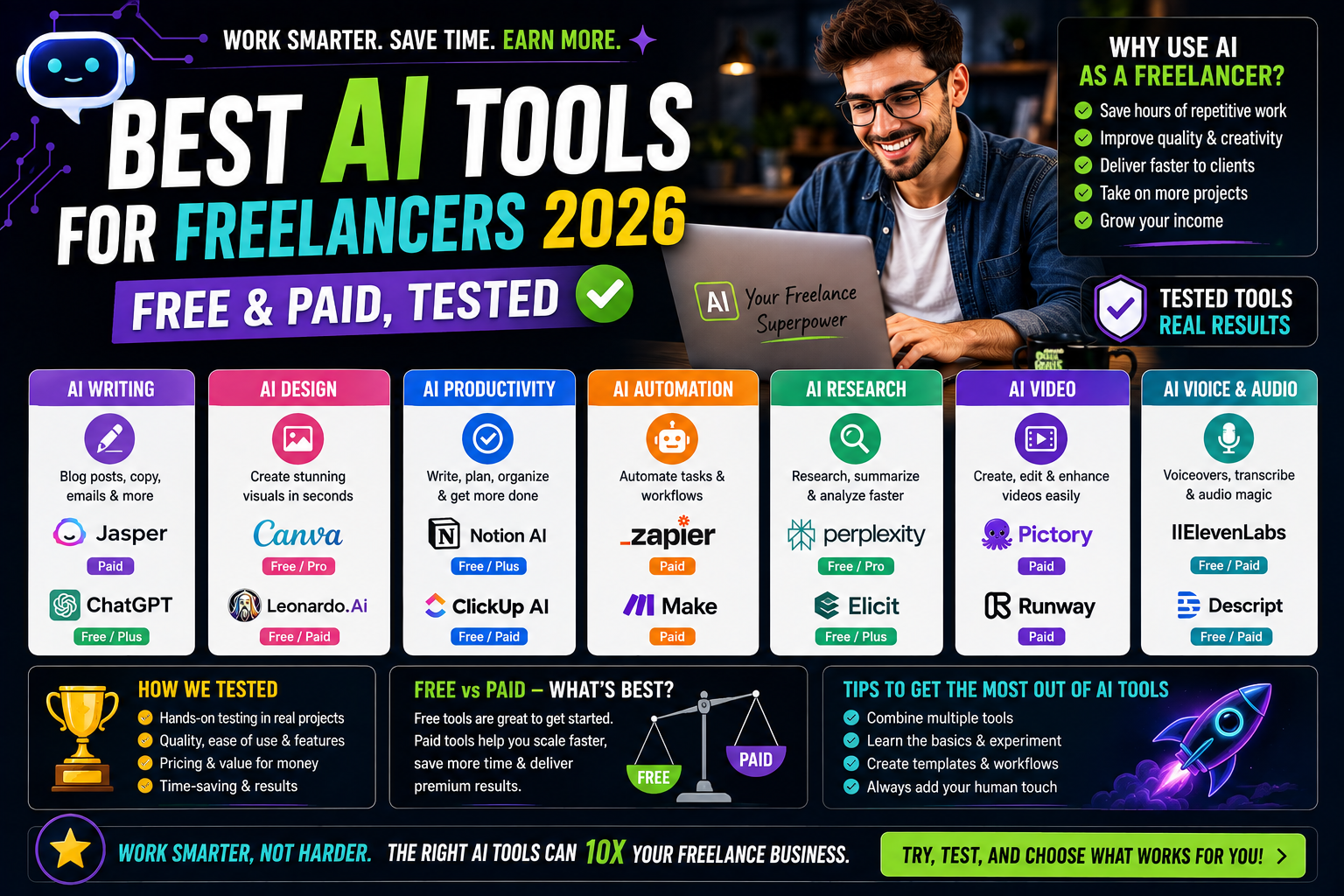

Most “best AI tools” lists are just feature dumps. This one is organized around where freelancers actually lose time — and what each tool costs when the free plan runs out.
⚠️ Disclosure: This page contains affiliate links. If you buy through them, we may earn a commission at no extra cost to you. We only recommend tools we’ve tested.
💡 HereFlowAI Tip: The average freelancer loses about 6 hours every week to non-billable admin work — proposals, invoicing, time tracking, and client communication. That’s where AI pays for itself, not in writing blog posts.
Table of Contents
Where Freelancers Actually Lose Time
Before picking tools, map your week. Most freelance work breaks into five buckets:
| Activity | Time/Week | Can AI Help? |
|---|---|---|
| Client work (billable) | 20–25 hrs | ⚠️ Partially |
| Proposals & pitching | 3–5 hrs | ✅ Yes, heavily |
| Admin (invoices, email) | 3–4 hrs | ✅ Yes, heavily |
| Research & learning | 2–4 hrs | ✅ Yes |
| Revisions & QA | 2–3 hrs | ⚠️ Partially |
The rule: buy tools for the non-billable buckets first. A tool that saves 4 hours of admin at $60/hr bills out at $240/month of recovered capacity — a $20 subscription is trivial against that.
Best AI Tools for Freelancers by Category
✍️ Writing & Client Communication
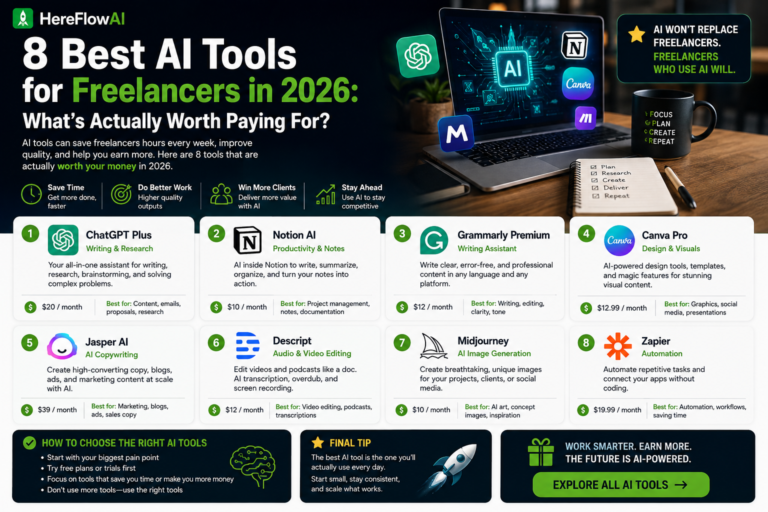
ChatGPT — Best all-rounder
The default for a reason. Proposals, email drafts, brainstorming, outlines.
Price: Free plan is genuinely usable · Plus $20/mo
Claude — Best for long documents
Handles long briefs, contracts, and reports better than most. Stronger at keeping a consistent voice across a long piece.
Price: Free plan · Pro $20/mo
Grammarly — Best final-pass editor
Catches tone problems before a client does. The free plan covers most freelancers.
Price: Free · Premium from $12/mo
🎨 Design & Visuals
Canva (Magic Studio) — Best for non-designers
Social graphics, presentations, thumbnails. Not every project justifies Photoshop — Canva covers the 80% that doesn’t.
Price: Free plan is strong · Pro $15/mo
Midjourney — Best image quality
For hero images, concept art, and illustrations where stock photos won’t do.
Price: From $10/mo — no free plan
🎬 Video
CapCut — Best free video editor
Auto-captions, AI cuts, templates. The reason short-form editing became a viable beginner gig.
Price: Free · Pro from $7.99/mo
Descript — Best for talking-head content
Edit video by editing the transcript. Removes filler words automatically.
Price: Free plan (limited) · From $12/mo
⚙️ Automation & Admin
Zapier — Connect your tools
Auto-send invoices, log new clients to a sheet, notify yourself of new orders.
Price: Free (100 tasks/mo) · Paid from $19.99/mo
Notion AI — Client & project management
Track projects, clients, and deliverables in one workspace.
Price: Free plan · AI add-on $10/mo
🔎 Research
Perplexity — Best for sourced research
Returns answers with citations, which matters when you’re writing for a client and need to verify claims.
Price: Free · Pro $20/mo
Complete Comparison Table
| Tool | Best For | Free Plan | Paid From |
|---|---|---|---|
| ChatGPT | All-round writing | ✅ Generous | $20/mo |
| Claude | Long documents | ✅ Yes | $20/mo |
| Grammarly | Final-pass editing | ✅ Yes | $12/mo |
| Canva | Design (non-designers) | ✅ Strong | $15/mo |
| Midjourney | Image quality | ❌ None | $10/mo |
| CapCut | Short-form video | ✅ Yes | $7.99/mo |
| Descript | Talking-head video | ✅ Limited | $12/mo |
| Zapier | Automation | ✅ 100 tasks/mo | $19.99/mo |
| Notion | Client & projects | ✅ Yes | AI +$10/mo |
| Perplexity | Sourced research | ✅ Yes | $20/mo |
The $0/Month Starter Stack
You do not need to spend anything to start. This stack covers writing, design, video, research, and admin:
| Need | Free Tool | Free Plan Limit |
|---|---|---|
| Writing | ChatGPT | Generous daily cap |
| Long documents | Claude | Daily message limit |
| Editing | Grammarly | Core corrections |
| Design | Canva | 5GB storage |
| Video | CapCut | Watermark on some templates |
| Research | Perplexity | Limited Pro searches |
| Projects | Notion | Unlimited personal pages |
💡 Upgrade rule: Only pay for a tool when its free limit is actively blocking billable work — not before.
Best AI Tools for Job Seekers in 2026
If you’re freelancing while job hunting, the stack shifts slightly:
- Resume.io — AI resume builder with ATS-tested templates. Not free — trial then from $6.99/mo on annual.
- ChatGPT / Claude — tailoring your resume to each posting
- Grammarly — cover letter polish
- LinkedIn — free, and still where recruiters look first
Read our full breakdown: Best AI Resume Builders 2026 →
Where to Find Clients Once You’re Set Up
Tools don’t pay you — clients do. Once your stack is running:
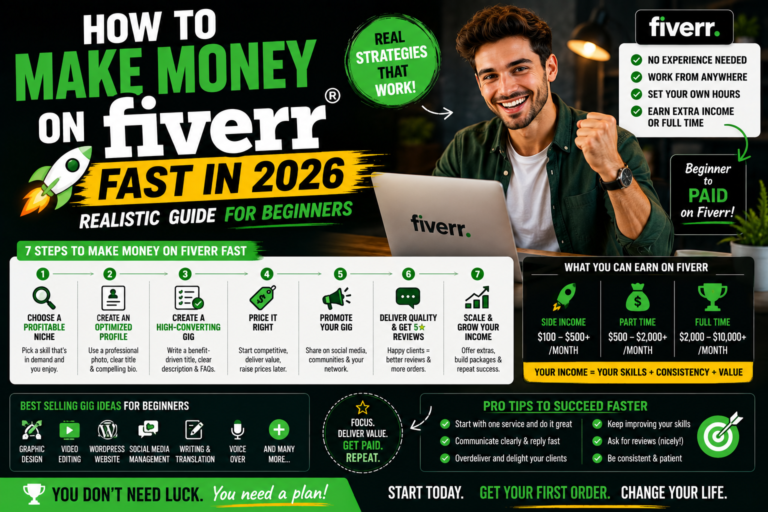
Fiverr — clients come to you. Best for beginners with no portfolio. Create a gig, optimize it, wait for orders rather than pitching.
👉 Start Your Fiverr Gig — Free →
Skill gaps? Most of these tools have a learning curve worth 3–5 hours. Udemy courses covering AI workflows drop to $9.99–$14.99 during their regular sales.
👉 Browse AI Courses on Udemy →
Working from cafés or coworking spaces? Client files on public WiFi is a real risk. A VPN encrypts the connection.
Final Verdict
Start with ChatGPT + Canva + CapCut — all free, all cover the widest range of freelance work. Add one paid tool only when a free limit is costing you billable hours.
The freelancers earning most from AI in 2026 aren’t the ones with the most subscriptions. They’re the ones who mapped their week, found the two hours that were bleeding, and fixed those.
FAQ
What are the best AI tools for freelancers in 2026?
ChatGPT for writing, Canva for design, CapCut for video, Perplexity for research, and Zapier for automation. All five have functional free plans.
Can I freelance using only free AI tools?
Yes. ChatGPT, Canva, CapCut, Grammarly, Notion, and Perplexity all have free tiers that cover most freelance work. Upgrade only when a limit blocks paid work.
How much should a freelancer spend on AI tools?
Under $50/month for most solo freelancers. Beyond that, you’re usually paying for capacity you’re not using.
Which AI tool saves freelancers the most time?
Automation tools like Zapier, because admin is where non-billable hours disappear — roughly 6 hours per week for the average freelancer.
Do clients mind if I use AI?
Most don’t — they care about output quality and turnaround. What they do mind is unedited AI text. Always review and rewrite before delivering.
What’s the best AI tool for beginners with no experience?
ChatGPT free plan plus Canva free plan. Together, they cover writing, design, and planning at zero cost.
Read next: Best Fiverr Gigs for Beginners 2026 →
Also read: Best Tools for Digital Nomads 2026 →