
Table of Contents
Affiliate disclosure: This article may contain affiliate links. If you buy through them, HereFlowAI may earn a commission at no extra cost to you.
With 58% of knowledge workers now operating in hybrid or fully remote environments, choosing the right technology stack isn’t optional — it’s mission-critical for productivity, engagement, and competitive advantage.
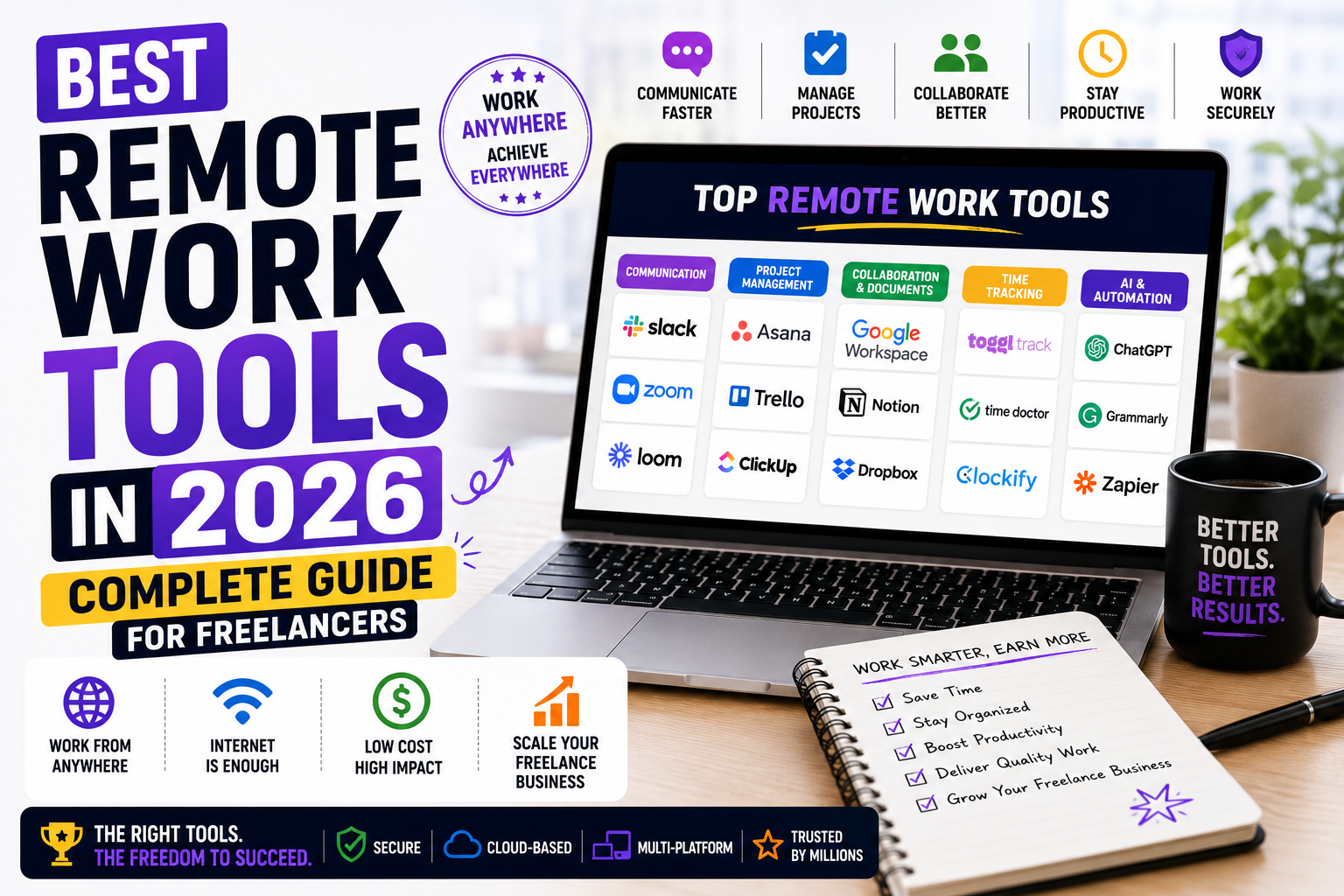
Whether you’re a solo freelancer or part of a distributed team, the tools you use directly impact how much you earn, how fast you deliver, and how secure your data is. This guide covers the 10 best remote work tools in 2026 — organized by category, with honest pros, cons, and pricing.
💡 HereFlowAI Tip: A good remote work tool should reduce friction, not add another dashboard to check. Before choosing software, identify which productivity problem is slowing you down.
The 4 Categories Every Remote Worker Needs
Small businesses and freelancers need four core categories: communication, video conferencing, project management, and file sharing. Start with free tiers and scale as your team grows.
Remote work friction usually falls into seven categories: communication friction, meeting friction, documentation friction, task management friction, focus friction, and automation friction.
Pick one strong tool per category — don’t stack overlapping apps.
Best Communication Tools
Slack — Best for Team Messaging
The industry standard for remote team communication. Channels, direct messages, file sharing, and 2,400+ integrations. Free plan available with 90-day message history.
Zoom — Best for Video Calls
Still the most reliable video conferencing tool in 2026. 40-minute limit on free plan — paid plans from $15.99/month.
Loom — Best for Async Video Messages
Record and share video messages in seconds — perfect for replacing unnecessary meetings. Free plan includes 25 videos up to 5 minutes each.
Best Project Management Tools
Notion — Best All-in-One Workspace
Tasks, notes, docs, databases, and AI — all in one place. The most flexible tool for freelancers managing multiple clients. The free plan is generous and fully functional.
ClickUp — Best for Teams
ClickUp describes itself as an “everything app for work,” combining tasks, docs, goals, chat, software, AI, and people in one place. ClickUp Brain connects AI to the work already happening inside the platform — useful for summarizing context, finding information, and reducing time spent jumping between tasks.
Best Security Tools for Remote Workers
NordVPN — Essential for Every Remote Worker
A business VPN with zero-trust network access ensures secure connections for distributed teams accessing company resources from anywhere.
Working from cafés, airports, or coworking spaces without a VPN exposes your client data, login credentials, and financial information to anyone on the same network. NordVPN is the #1 rated VPN in 2026 — used by millions of remote workers worldwide.
Why remote workers need NordVPN:
- Encrypts all traffic on public WiFi
- Masks your IP and location
- Blocks malware and ads automatically (Threat Protection)
- Works on all devices — laptop, phone, tablet
- 30-day money-back guarantee
Best Learning Tools for Remote Workers
Udemy — Best for Skill Building
Remote work requires constant upskilling. Udemy’s 220,000+ courses cover every skill remote workers need — from AI tools and digital marketing to project management and web development. Sales every 2–3 weeks bring most courses to $9.99–$14.99.
Top Udemy courses for remote workers:
- AI & ChatGPT Prompt Engineering
- The Complete Digital Marketing Course
- Python for Data Science
- Communication Skills Master Class
Best Productivity Apps
Grammarly — Best Writing Assistant
AI-powered grammar, tone, and clarity checker — essential for written communication in remote work. Free plan covers most needs.
Calendly — Best for Scheduling
Eliminate back-and-forth scheduling emails. Share your availability link and let clients book directly. Free plan available.
1Password — Best Password Manager
Securely store and autofill passwords across all devices. Essential for remote workers managing multiple client accounts. From $2.99/month.
Complete Remote Work Stack for Freelancers
| Category | Tool | Free Option |
|---|---|---|
| Communication | Slack + Loom | ✅ Yes |
| Video calls | Zoom | ✅ 40 min limit |
| Project management | Notion | ✅ Generous |
| VPN & Security | NordVPN | ✅ 30-day trial |
| Learning | Udemy | ❌ Sales only |
| Writing | Grammarly | ✅ Yes |
| Scheduling | Calendly | ✅ Yes |
| Password manager | 1Password | ❌ From $2.99/mo |
Monthly cost for complete stack: $0–$30/month depending on which free plans you use.
Final Verdict
The best remote work tools in 2026 share four non-negotiable characteristics: seamless integration, AI-powered automation, smart features that reduce manual tasks, and ease of use for new team members.
Start with free tiers. Add paid tools only when a free limitation is actively slowing you down. For most freelancers, Notion + Grammarly + NordVPN + Udemy covers 90% of what you need to work productively and securely from anywhere.
FAQ
What are the best remote work tools in 2026?
The essential stack for freelancers includes Notion (project management), Slack or Loom (communication), NordVPN (security), Udemy (learning), and Grammarly (writing). Most have free plans to start.
Do remote workers need a VPN?
Yes — working from public WiFi without a VPN exposes your data to hackers. NordVPN encrypts all traffic and protects your client files, passwords, and financial information.
What is the best free remote work tool?
Notion is the best free all-in-one tool for freelancers — tasks, notes, docs, and databases in one platform with a generous free plan.
How much does a complete remote work stack cost?
$0–$30/month depending on which free tiers you use. NordVPN ($3.09–$3.49/month on a 2-year plan) is the only essential paid tool for most freelancers.
What tools do remote teams use most in 2026?
The most widely used remote work tools are Slack, Zoom, Google Workspace, Notion, ClickUp, and Asana for collaboration — plus VPN solutions for security.
Read next: Why Freelancers Need a VPN in 2026 →
Also read: Best Udemy Courses for Freelancers 2026 →