
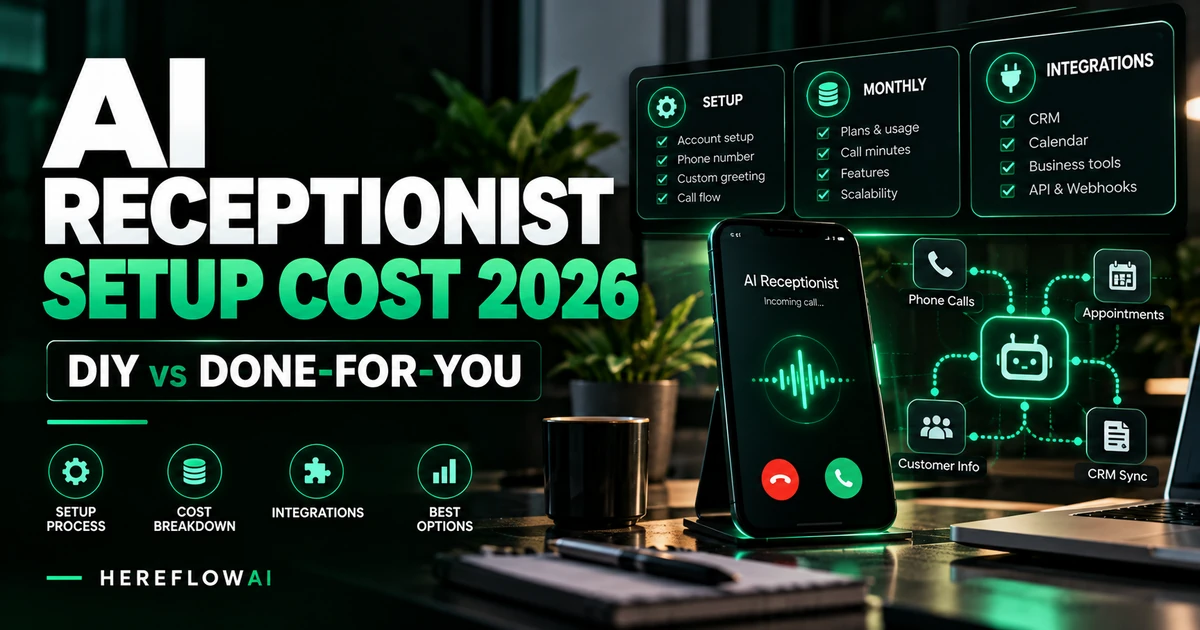

Research date: October 13, 2026. This buyer guide uses official, publicly available supplier pricing and clearly labeled calculations. It does not claim that HereFlowAI installed or tested these providers. Contracts, phone costs, implementation scopes and country availability can change.
Quick answer: AI receptionist setup and AI receptionist operation are two different charges. You can configure some self-service answering plans without paying a separate external implementation fee—Upfirst advertises $24.95/month for 30 calls, while Goodcall starts at $79/month for 100 unique customers. If you hire a provider to build and launch an integrated workflow, examples of published one-time setup charges include $499.99, $995 and $1,500 at three different managed-service companies. These are real individual supplier quotes, not a proven market-wide price range. Voice-platform minutes, telephony, support and ongoing maintenance may be additional.
Use this guide to understand what you are buying when you pay an AI receptionist setup fee, how to budget year one, and what to ask a freelancer or agency before paying a deposit. The focus is implementation: number routing, call flows, calendar and CRM integration, testing, monitoring and ownership.
AI receptionist setup cost in 2026: actual published examples
| Buying model / vendor | Published setup price | Ongoing base price | Scope note |
|---|---|---|---|
| Upfirst self-serve | No separate installer fee in DIY assumption | $24.95/month • 30 calls | You configure rules, routing and optional integrations |
| Goodcall self-serve | DIY setup effort, not a quoted installation fee | $79/month • 100 unique callers | Billing based on distinct callers |
| Smith.ai Enterprise | Full-service setup included in plan | $500/month • 300 calls shown | Vendor-managed prompting, integration and optimization within plan scope |
| Throughway AI managed | $499.99 one-time | $149.99/month standalone | Provider states build covers forwarding, business rules and Google Calendar |
| Dream Protocol managed | From $995 setup | From $399/month | Published starter price for one business/location; scope dependent |
| Endorithm managed | $1,500 one-time | $299/month | Business call flows, CRM/calendar integrations and testing within its stated package |
Price verification: Upfirst pricing, Goodcall pricing, Smith.ai AI pricing, Throughway AI pricing, Dream Protocol pricing explanation, Endorithm pricing. All prices are shown as providers publish them; they are not independently negotiated offers or proof that deliverables are identical.
Do not treat $0 setup as $0 effort. If an owner spends ten hours configuring and testing a system, that is a real operational cost even when no external installer is hired. Likewise, a $1,500 setup package might cost less than a poorly scoped cheap freelancer project that fails after launch.
The four costs that make up an AI receptionist launch
1. One-time configuration and implementation
Implementation involves collecting approved business information, writing the initial conversation rules, configuring call forwarding, designing appointment and escalation logic, connecting the calendar or CRM, validating privacy requirements, and running realistic test calls. A vendor may include part of this in its monthly plan or charge it separately.
Ask any service provider to split the quote into scope definition, build work, integrations, validation, handover and optional post-launch tuning. A single “AI receptionist setup” line item does not tell you whether calendar write-back or live human escalation is included.
2. Recurring software or voice usage
Turnkey AI services can charge by call, unique caller or included monthly allowance. For example, Upfirst advertises $24.95/month including 30 calls and Goodcall advertises $79/month for 100 unique customers. These are not equivalent units. See our 7-provider answering service comparison if you are still choosing a product rather than hiring an installer.
For custom voice-agent builds, Retell AI publishes voice-agent usage in the $0.07–$0.31/minute range, while Vapi describes a $0.05/minute hosting component plus model, speech and possible transport costs. Both require your own configured usage estimate; Vapi’s hosting figure should not be presented as the total call price.
3. Phone numbers, carrier charges and add-ons
Phone handling is often a separate budget line. Retell currently lists an optional phone-number charge of $2/month when using one of its provisioned numbers. If you build your own US telephony integration with Twilio, the official local voice rates show a $1.15/month local number and $0.0085/minute for inbound calls. These Twilio figures apply to a specific Twilio route—they should not be added automatically to every Retell or Vapi estimate or double counted when transport is already bundled.
Country, inbound versus outbound routing, recording or transcription settings and optional services can change the effective bill. Get one complete quote for a real call rather than adding every item from a vendor’s pricing page together.
4. Monitoring, updates and human fallback
A voice agent that works in a launch demo may still fail when your calendar is disconnected, service menu changes, call transfers are unanswered, or callers ask for unusual exceptions. Define who owns the system after go-live and how often quality is reviewed.
Some managed services include ongoing monitoring in the monthly subscription; others charge separately or leave it to your team. Confirm how many adjustments, new workflows and support hours are included, whether you retain the agent configuration, and what happens on cancellation.
Three example first-year AI receptionist budgets
The following models are arithmetic budgeting examples using published prices. They are not market averages or guarantees of total cost. They deliberately exclude taxes, unexpected overages, add-ons, optional phone transport and any charges not explicitly stated.
| Scenario | One-time amount | Monthly base | 12-month example |
|---|---|---|---|
| DIY Upfirst Starter, at most 30 included calls/month | $0 external installer | $24.95 | $299.40 + your time |
| Throughway standalone managed plan | $499.99 | $149.99 | $2,299.87 |
| Endorithm inbound receptionist | $1,500 | $299 | $5,088 |
Annualized arithmetic: Upfirst $24.95 × 12; Throughway $499.99 + ($149.99 × 12); Endorithm $1,500 + ($299 × 12). We assume stable monthly pricing, continuous subscription and no extra calls/features. Verify the providers’ current annual discounts, contract terms and implementation inclusions. Different packages deliver different services, so the numbers are not a performance ranking.
How much should a freelance AI receptionist installer charge?
There is no credible universal one-time freelancer rate without a scope and deliverables. Treat any flat quote that promises an “unlimited” automation for an unusually low price with care. A freelancer’s cost depends on whether you already have scripts, your existing tools, how many integrations are required and who supports the system after launch.
For a transparent internal planning exercise, calculate a proposed number of hours × the contractor’s quoted rate. For example, 12 scoped hours × a hypothetical $60/hour = $720. That is an illustrative calculation, not a measured median Fiverr rate, not a live quote and not a guarantee of what a real provider will charge. Ask each bidder for a fixed-scope statement of work before comparing proposals.
A simple message-taking agent may take less work than an agent that checks live availability, creates a CRM opportunity, routes urgent calls and updates several location calendars. You should not pay a complex integration price for an agent that does nothing beyond answering an FAQ.
What should your one-time setup fee actually include?
Use this acceptance checklist as part of any proposal, even if the provider offers “free setup”:
- Business knowledge: Approved operating hours, service areas, contact methods, pricing rules and the topics the AI must not answer without a person.
- Call flow: Greeting, caller intent, intake questions, confirmation, message summary and a clear ending.
- Number ownership: A documented phone-forwarding plan and the process for retaining or moving your number after cancellation.
- Human escalation: Tested transfers to a real contact, including after-hours and no-answer fallback behavior.
- Scheduling: Live checks of available time slots, booking creation, timezone handling, rescheduling and cancellation when part of the scope.
- CRM and notifications: A sample lead arrives in the right place with correct name, phone, consent when required, summary and owner assignment.
- Quality checks: A repeatable set of test scenarios, including noises, accents, wrong dates, interrupted speech and failed integrations.
- Privacy and security: Documented call-recording notifications, access controls, data retention and applicable legal or industry-specific requirements.
- Launch and rollback: Defined go-live conditions and an immediate path to switch back to human answering if the agent fails.
- Handover: Training, account ownership, service credentials managed through secure access, change instructions and a clear maintenance agreement.
Ask for a live demonstration of one successful appointment, one unsuccessful booking attempt, one emergency escalation, one explicit human request and one failed-connection fallback. A great-sounding voice is not enough.
DIY, done-for-you, or vendor-managed: which should you pick?
Choose DIY when your task is narrow and reversible
DIY is a reasonable pilot if your goal is after-hours FAQs, standard business details, taking messages and forwarding selected calls. Choose a turnkey provider with clear call allowances, start with a small subset of calls, and keep your original phone routing available. You still need someone to review real calls and correct errors.
Choose a freelance specialist when you own the stack and need integration
Choose this if you require a custom Retell/Vapi agent, appointment booking across an existing calendar, webhook delivery to a CRM or a specific escalation workflow. Ask about ownership of vendor accounts and API keys. Never send passwords by email to an unknown freelancer; grant least-privilege access through the platforms’ supported permissions.
Choose managed setup when you need accountability after deployment
Managed plans may make sense if you do not want to operate the system day to day. Confirm how quickly the team answers support tickets, whether integrations are maintained, the SLA and what you receive after cancellation. Smith.ai’s Enterprise AI Receptionist plan, for example, explicitly advertises full-service setup and ongoing optimization within its higher-tier offer; this is a subscription model rather than a universally applicable one-time setup fee.
Which tools increase the setup effort most?
Calendar and CRM write actions add complexity because the agent can change real customer records. Vapi’s official appointment-scheduling example documents separate tools for checking availability, booking, rescheduling and cancellation. Its integrations directory includes Google Calendar, Google Sheets, n8n and GoHighLevel connections. Every action needs real-world tests—not just a plausible conversation response.
Retell’s documentation likewise describes simulation and batch testing for agent call scenarios. Reserve time for test coverage and corrections. Make the provider demonstrate what happens when a tool returns an error, a time slot disappears or the caller gives incomplete details.
Three mistakes that make setup quotations misleading
- Confusing usage and installation: A platform may cost only a few cents per minute while professional integration takes paid work. The two must be quoted separately.
- Comparing unlimited and metered plans as identical: A “monthly unlimited” answerer might have limits on unique callers, supported flows, concurrency, countries or add-ons. Check the actual contract.
- Buying without a failure-handling plan: If appointments can be double-booked or urgent requests never reach a person, even a cheap build can be costly to the business.
HEREFLOWAI • WORKFLOW PLANNING
Before paying for installation, get a scope.
Our $49 AI Automation Audit examines one core business workflow and provides a prioritized blueprint with recommended tools, human approval checkpoints and an implementation path. This planning service can help you clarify call intake or lead follow-up before committing to a paid build.
Important: The $49 audit is not voice AI development, AI receptionist installation, telephony access, subscription payment or ongoing support. Those are separate projects or vendor costs.
AI receptionist setup cost: frequently asked questions
Can you set up an AI receptionist for free?
Some providers let you configure a basic agent without a separate implementation fee, and others have limited free trials or starter tiers. Your time, overage calls, required software subscriptions, number charges and optional integrations can still cost money. “Free setup” does not mean “free to run forever.”
Is $500 a fair one-time AI receptionist setup price?
It may be, depending on the scope. One provider, Throughway, publicly lists $499.99 as its own setup charge. But that does not establish a universal standard. Ask for written deliverables and compare whether the proposal includes calendar write-back, CRM updates, human transfers, real call testing and handover.
Does Retell AI charge a setup fee?
Retell publicly advertises pay-as-you-go usage rather than a universal mandatory installer charge. Professional setup or third-party integrator work is separate from platform usage, and the enterprise offering can include dedicated implementation support as an add-on. Check your exact terms.
Is Vapi’s $0.05 per minute the total cost of an AI receptionist?
No. It is a platform hosting component. Voice, speech recognition, the language model, phone transport and any implementation or support may add costs. Use the configuration calculator for the actual stack.
How long does a setup take?
It depends on scope. Basic message-taking can be configured much faster than a multi-location booking agent with CRM permissions, transfers and compliance review. Request a timeline with stages: access, configuration, integrations, testing, launch and stabilization. Avoid promises of instant deployment with no tests.
Can I keep using my existing business number?
Many providers support call forwarding or integration with existing telephony, but compatibility is specific to country, carrier and phone system. Verify number ownership, forwarding charges and rollback before changing your live line.
Should I hire a developer or buy a subscription?
Start with a subscription if you have a narrow routine task and need fast validation. Hire a specialist if your workflow requires advanced integrations and your team can manage vendor accounts. Consider managed service when long-term maintenance and human support matter. For the broader vendor-selection decision, see our AI vs human answering analysis.
Bottom line: make the setup scope measurable
For 2026 buyers, the best question is not “What is the cheapest AI receptionist?” but “What exactly must the installed receptionist do, and who will be responsible when it fails?” A public $24.95/month self-serve plan and a $1,500 professional setup are different products, with different accountability.
List the call workflows, measure monthly call volume, test the required integrations, require human escalation and get a written scope. Then compare the first-year total and maintenance commitments. If the implementation plan is not ready, start with a clearly scoped workflow audit rather than buying an undefined build.
References and methodology
Official supplier prices and implementation details reviewed October 13, 2026: Upfirst, Goodcall, Smith.ai, Throughway, Dream Protocol, Endorithm, Retell AI, Vapi, Twilio US voice pricing, Vapi scheduling documentation and Retell testing documentation. These are public price examples, not statistically representative industry averages or guaranteed contracts. No hands-on benchmark is claimed. Check currency, plan, overage, tax, country availability and support terms directly with each vendor.


[…] AI Receptionist Setup Cost 2026 guide explains these layers and compares documented vendor setup examples. The key is whether the […]