
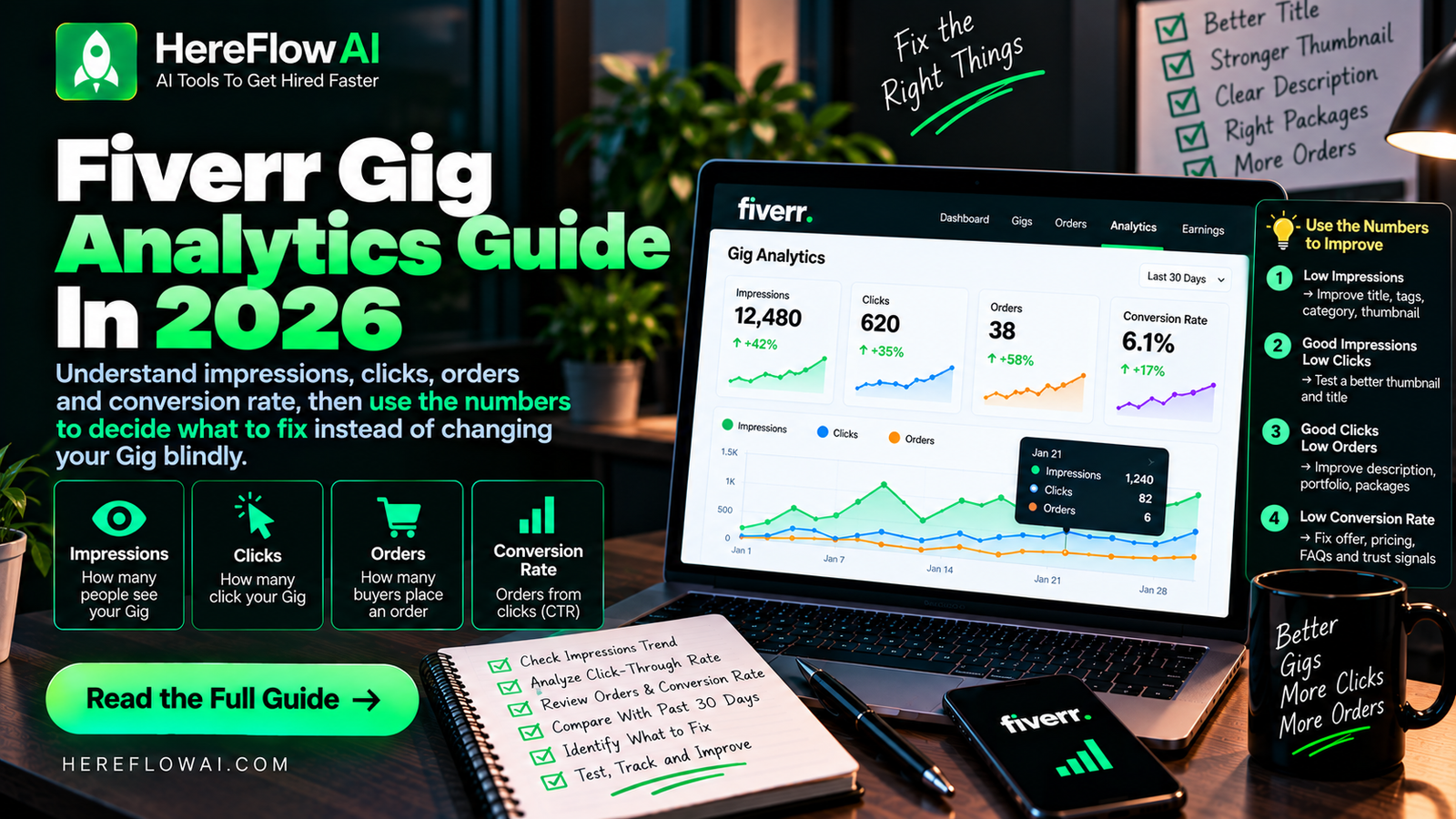

Fiverr analytics are useful only if they change what you do next. The goal is not to stare at impressions every day. The goal is to identify where your Gig funnel is losing buyers.
Fiverr’s current Gig statistics include impressions, clicks, orders, cancellation rate, subscriptions and conversion rate, with a performance graph for recent activity.
Fiverr Analytics: Which Metric Should You Fix First?
Impressions show how often your Gig appeared in discovery surfaces; clicks indicate a buyer opened it; orders reveal whether the offer converted. Low impressions suggest checking visibility and category relevance. Low click-through suggests clearer positioning or thumbnail. Clicks without orders suggest reviewing scope, buyer questions, delivery and price.
Change one major element at a time, record the edit date and compare a meaningful period of activity before judging the result. See Gig images and Gig pricing. No specific click rate guarantees an order.
What Fiverr Impressions Mean
Fiverr defines impressions as the number of times your Gig appeared as a thumbnail across places such as search results, category pages, the homepage and user profile pages.
Impressions tell you that the Gig is being shown. They do not tell you that buyers like the offer.
What Fiverr Clicks Mean
Clicks are the number of times a user clicked your Gig after seeing it.
If impressions are healthy but clicks are weak, inspect the elements visible before the click:
- Gig title
- First image
- Starting price/context shown in search
- How specific the offer looks next to competitors
What Fiverr Orders Mean
Orders are the completed purchase events associated with the Gig.
If people click but do not order, the problem is probably deeper in the page: proof, pricing, package clarity, description, requirements or buyer fit.
What Fiverr Conversion Rate Means
Fiverr currently defines Gig conversion rate as total orders divided by total impressions for the Gig.
You can also calculate a simple click-through rate for your own diagnosis:
CTR = clicks ÷ impressions × 100
Fiverr may not present this as the main Gig conversion metric, but it can help you separate a visibility problem from a click problem.
The Fiverr Funnel
Impressions → Clicks → Inquiries → Orders
Each stage answers a different question.
| Signal | What it suggests | What to inspect |
|---|---|---|
| Low impressions | Visibility/relevance problem | Niche, title, tags, category fit, demand |
| Impressions + low clicks | Search-result appeal problem | Thumbnail, title, offer clarity |
| Clicks + no orders | Page/conversion problem | Proof, description, packages, pricing |
| Many questions + no orders | Expectation/value problem | Scope, response quality, buyer fit |
| Orders + cancellations | Delivery/scope problem | Requirements, boundaries, communication |
Do Not Overreact to One Day
Small numbers are noisy. One click, one lost inquiry or one day of lower impressions is not enough to rebuild the entire Gig.
Use a fixed review rhythm. For example, review the Gig weekly, identify the weakest stage and make one major change.
A Simple Weekly Review
- Record impressions.
- Record clicks.
- Calculate your own click-through rate.
- Record inquiries and orders.
- Note cancellations or scope problems.
- Choose one hypothesis.
- Make one change and document the date.
Example Diagnosis
Suppose a Gig receives 1,000 impressions, 30 clicks and no orders.
The Gig is being shown, so the first question is not “How do I get more impressions?” The click-through rate is 3%, so the image/title may deserve testing. But because some people are clicking and nobody is ordering, you should also inspect proof, pricing and package clarity.
Now suppose the same Gig gets 1,000 impressions, 90 clicks and five orders. That is a very different problem. You would be more careful about changing the title or thumbnail because they are already moving buyers deeper into the funnel.
Track Changes Like an Experiment
Keep a simple log:
| Date | Change | Reason | Result to watch |
|---|---|---|---|
| Week 1 | New first image | Low clicks | CTR |
| Week 2 | Package rewrite | Clicks, no orders | Orders/inquiries |
| Week 3 | Requirements clarified | Scope confusion | Cancellations/questions |
This is much more useful than “optimizing” everything at once.
For more context on common diagnostic mistakes, read Common Fiverr Mistakes New Sellers Make in 2026.
Turn the advice into a Gig you can actually test
Use the free Fiverr Starter Kit 2026 to validate one niche, build your offer, structure pricing and track what happens after launch.
Need the full editable system? See the Fiverr Gig Launch Kit 2026 — Complete Bundle.
Ready to compare real services, pricing and Gig examples? Browse Fiverr Marketplace and study how active sellers position their offers before you publish or edit your own Gig.
Affiliate disclosure: HereFlowAI may earn a commission if you purchase through this link, at no extra cost to you.
Frequently Asked Questions
Where can I see Fiverr Gig statistics?
Fiverr says sellers can open My Business → Gigs, select a Gig and view its statistics dashboard. Full statistics are better viewed in a desktop browser.
What are Fiverr impressions?
They are appearances of your Gig thumbnail across Fiverr surfaces such as search and category pages.
What should I fix if I have impressions but no clicks?
Inspect the title, first image and how clearly the Gig communicates its service before the buyer opens the page.


[…] turnaround and a clear revision limit. Revisit the package when views come without inquiries. See Gig impression/click diagnostics and our first-order checklist. These examples do not predict your […]
[…] Fiverr Analytics 2026: Impressions, Clicks & Orders […]