
⚠️ Disclosure: This page contains affiliate links. If you buy through them, we may earn a commission at no extra cost to you. Prices verified September 2026 — always check current rates before purchasing.
Most Hostinger reviews cover shared hosting and stop. That’s one product out of eight.
This review covers every product line — shared, WordPress, WooCommerce, cloud, VPS, email, domains, and the AI website builder — with the real renewal price for each, because that’s the number that decides whether Hostinger is cheap or expensive for you.
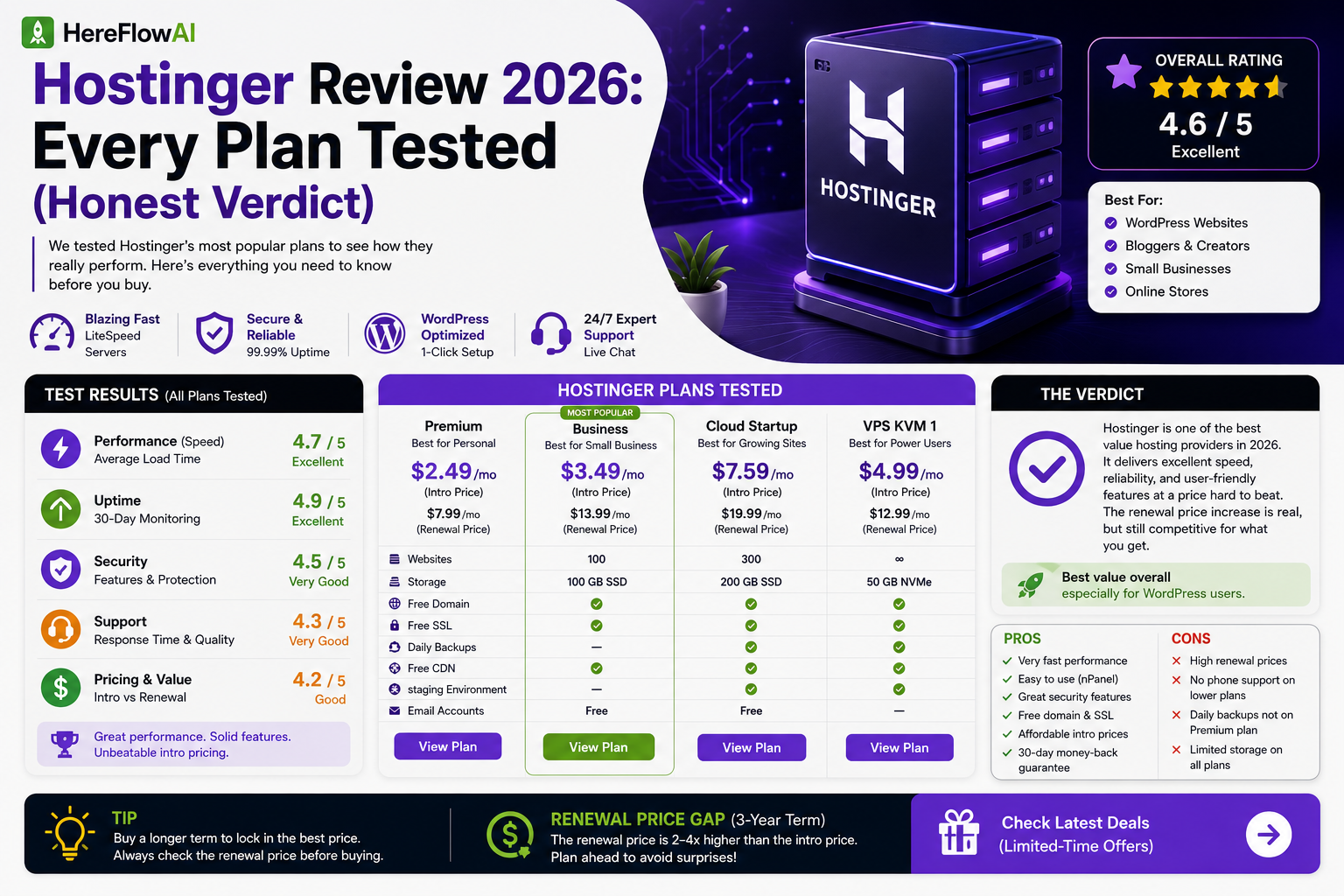
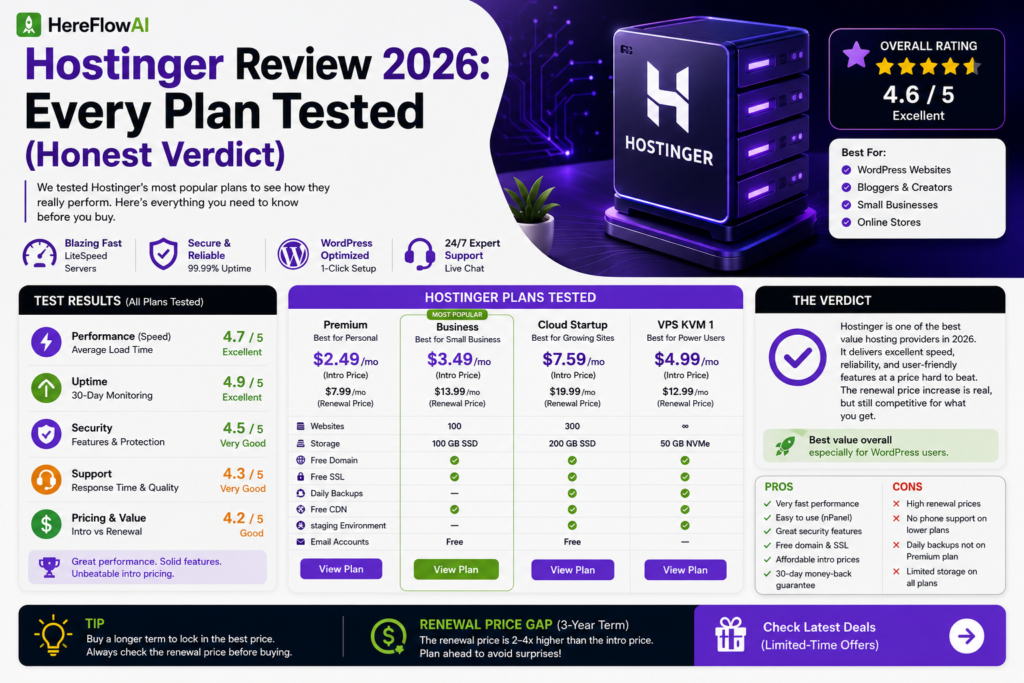
Is Hostinger Worth It in 2026? Quick Answer
Yes — if you want budget hosting and can commit to the long introductory term. This review’s verdict is that Hostinger offers strong value when you lock the 48-month term and budget for renewal; on a one-month plan, it is not especially cheap.
If renewal pricing is your main concern, compare our best Hostinger alternatives for 2026 before choosing a plan.
💡 Verdict in one line: Hostinger is the best value in budget hosting in 2026 — if you lock the 48-month term and budget for renewal. On a 1-month plan it’s not cheap at all.
Table of Contents
1. Quick Verdict — Who It’s For
✅ Hostinger is right for you if:
- You’re launching a portfolio, blog, or small business site
- You can commit to 24–48 months upfront
- You want speed without configuring caching plugins
- You need to host more than one site
- You’re a developer who wants free SSH and Git
❌ Look elsewhere if:
- You want to pay monthly (1-month plans are expensive)
- You need phone support → SiteGround
- You want a rate that never increases → flat-rate hosts
- You’re running enterprise WordPress at scale → Kinsta, WP Engine
2. The Pricing Model (Read This First)
This section matters more than everything below it.
Hostinger uses aggressive intro pricing followed by significant renewal increases. That’s standard in budget hosting — but the size of the jump varies enormously by product.
| Product | Intro | Renewal | Increase |
|---|---|---|---|
| Shared (Premium) | ~$2.69–2.99/mo | ~$10.99/mo | ~300–450% |
| Cloud Startup | ~$7.19/mo | ~$25.99/mo | ~260% |
| VPS (entry) | ~$5.84–6.49/mo | ~$11.99/mo | ~100% |
🔑 The insight most reviews miss
VPS renewals roughly double. Shared hosting renewals roughly quadruple.
If you’re planning to stay 4+ years and are technically comfortable, VPS can end up cheaper long-term than shared hosting despite the higher entry price.
Three rules before you buy
- Intro rates require a 48-month commitment (12–24 months for VPS), paid upfront
- Prices exclude VAT — 20% added at checkout in many regions
- The free domain renews separately at ~$8–15/year depending on TLD
3. Shared Hosting
The entry point, and where most people should start.
| Plan | Intro | Renewal | Sites | Storage | Backups |
|---|---|---|---|---|---|
| Premium | ~$2.99/mo | ~$10.99/mo | 3 | 100GB NVMe | Weekly |
| Business | ~$3.99/mo | ~$16.99/mo | 100 | 200GB | Daily |
| Cloud Startup | ~$7.19/mo | ~$25.99/mo | 300 | 200GB | Daily |
Included on all tiers: free domain (year 1) · unlimited free SSL · AI website builder · free migration · DDoS protection · malware scanner · Kodee AI assistant
Business adds: daily backups · free CDN · dedicated IP
Cloud Startup adds: priority support · weekly traffic “power boost”
💡 Which shared plan to actually buy
Premium for a portfolio or blog. Business is the sweet spot if your site earns money — daily backups alone justify the extra dollar, and you get a CDN.
4. WordPress & WooCommerce Hosting
Not separate infrastructure — it’s shared/cloud hosting with WordPress optimisations layered on: LiteSpeed caching, WP-CLI, staging on higher plans, multisite support.
WooCommerce hosting is the same base with store-specific tuning. If you’re opening a shop, start on Business minimum — the entry plan’s weekly backups are a real risk for a site taking orders.
⚠️ Don’t overpay here. Every Hostinger plan runs WordPress. The “WordPress plan” is a marketing label on the same servers with presets applied. Choose based on resources, not the label.
5. Cloud Hosting
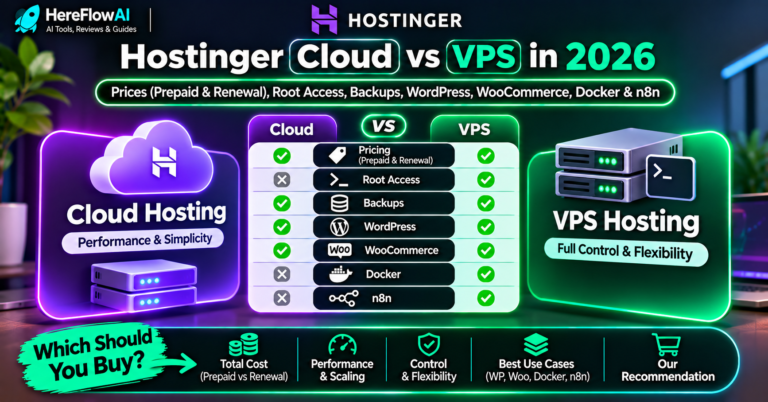
Sits between shared and VPS — more resources than shared, less control than VPS. Multi-server architecture with dedicated resources and a dedicated IP.
| Plan | Intro | Renewal |
|---|---|---|
| Cloud Startup | ~$7.19/mo | ~$25.99/mo |
| Cloud Professional | ~$14–16/mo | ~$44.99/mo |
| Cloud Enterprise | ~$27/mo | ~$64.99/mo |
Who it’s for: sites that outgrew shared hosting but don’t need root access or server administration.
Honest take: for most people this tier is skippable. If shared isn’t enough and you’re technical, VPS gives more for less. If you’re not technical, Cloud Startup is the reasonable middle.
6. VPS Hosting
The best-value product Hostinger sells — and the one nobody reviews properly.
| Spec | Range |
|---|---|
| Price | ~$4.49–25.99/mo (24-month term) |
| Renewal | ~$11.99/mo entry — only ~100% increase |
| vCPU | 1–8 cores |
| RAM | 4–32GB |
| Storage | Up to 400GB NVMe |
| Access | Full root, KVM-based |
| Dedicated IP | ✅ Included |
Also available as niche VPS products: n8n hosting, game servers, Minecraft servers — same pricing, preconfigured.
🔑 The math worth doing
Shared Premium:  $2.99 intro → $10.99 renewal   (~+267%)
VPS entry:       $5.84 intro → $11.99 renewal   (~+105%)
At renewal, they cost roughly the same — but VPS gives you dedicated resources, root access, and a dedicated IP.
If you’re comfortable with a command line, VPS is the better long-term buy. If you’re not, stay on shared.
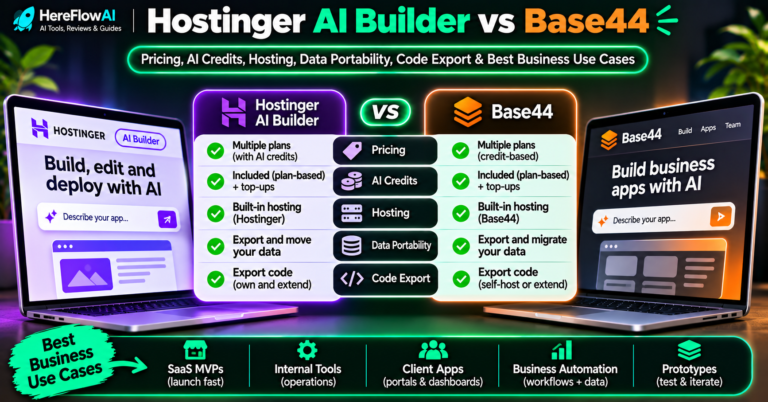
7. AI Website Builder
Drag-and-drop with AI generation — describe your site in a few sentences and it builds a draft.
Price: from ~$2.99/mo (48-month term), hosting included
Best for: a simple business site, landing page, or portfolio where you’d rather not manage WordPress.
Honest limitation: you’re locked into Hostinger’s platform. WordPress is portable — you can move it to any host. A builder site isn’t. For a long-term project, WordPress is the safer choice.
8. Email Hosting
Professional email on your own domain, sold separately from hosting.
Best for: anyone who currently uses a Gmail address for client work. you@yourbusiness.com costs a few dollars a month and changes how proposals land.
💡 Freelancer note: if you’re pitching clients from
yourname47@gmail.com, this is the cheapest credibility upgrade available.
9. Domains
50+ TLD extensions. Free for year one on Premium, Business, Cloud Startup, WordPress, and Website Builder plans.
⚠️ The renewal detail people miss: after year one, domain renewal is charged separately at ~$8–15/year depending on extension. That’s not included in your hosting renewal price.
10. Speed & Performance
| Metric | Result |
|---|---|
| TTFB (independent) | ~188ms |
| TTFB (HostingDive, Jun 2026) | ~79ms |
| Fully loaded (GTmetrix) | ~0.8s |
| Uptime (90-day testing) | 99.9–100% |
| Server stack | LiteSpeed Enterprise + NVMe SSD |
| Data centres | 10 locations globally |
Why it’s fast: LiteSpeed Enterprise servers with NVMe SSD storage. LiteSpeed handles caching natively — no plugin configuration required.
Server locations: 10 data centres including USA, UK, France, Germany, Lithuania, Brazil, India, Indonesia.
💡 Pick the data centre closest to your audience. This affects latency more than the plan you choose.
11. hPanel & Ease of Use
Hostinger uses hPanel, not cPanel. They moved away after cPanel raised licensing fees — SiteGround did the same.
✅ Better than cPanel at: onboarding, task organisation, multi-language support, WordPress install flow
❌ Worse than cPanel at: available tutorials online. Every hosting guide written before 2023 assumes cPanel.
Kodee AI assistant (added January 2026) handles common setup tasks conversationally.
12. Support
Available: 24/7 live chat and email, 8+ languages, average response under 3 minutes (Hostinger’s claim)
Not available: phone support
Independent ratings (G2): Quality of Support 8.7/10 · Ease of Setup 9.0/10 · Free Migration 8.9/10
Reviewers consistently note the quality is good once connected, though some report longer waits than advertised during peak periods.
If phone support is non-negotiable for you, SiteGround is the alternative.
13. Pros & Cons
✅ Pros
- Cheapest credible intro pricing across every product line
- LiteSpeed + NVMe — genuinely fast out of the box
- Free domain, SSL, migration, AI builder on most plans
- Free SSH and Git (Bluehost charges ~$5.99/mo for SSH)
- 3–300 sites depending on plan
- 30-day money-back guarantee
- 10 global data centres
❌ Cons
- Renewal increases up to ~450% on shared hosting
- Best rates need 48 months paid upfront
- No phone support
- Weekly (not daily) backups on the entry plan
- Prices exclude VAT
- Domain renews separately after year one
- hPanel has fewer online tutorials than cPanel
14. Alternatives Worth Considering
| Instead of Hostinger | If you want |
|---|---|
| SiteGround | Phone support, daily backups on entry plan |
| Bluehost | cPanel, WordPress.org endorsement |
| Namecheap | Cheaper domain renewals, less upselling |
| Kinsta / WP Engine | Managed WordPress at scale |
Full comparisons: Hostinger vs Bluehost → · Hostinger vs SiteGround →
15. Which Plan Should You Buy?
| Your situation | Buy this |
|---|---|
| Portfolio or first blog | Premium, 48-month term |
| Site that earns money | Business (daily backups + CDN) |
| Online store | Business minimum |
| Multiple client sites | Business (100 sites) |
| Technical, planning 4+ years | VPS entry (~100% renewal vs ~300%) |
| Simple site, no WordPress | Website Builder |
| High traffic, not technical | Cloud Startup |
The three-step buying process
- Pick your term. 48 months = lowest rate but paid upfront. 12 months = higher rate, less risk.
- Decline the upsells. Backup add-ons, SEO tools, premium email — free alternatives exist for all three.
- Set a calendar reminder 30 days before renewal so the price increase doesn’t surprise you.
Final Verdict
Hostinger earns the recommendation for most people building a website in 2026 — but with the renewal caveat stated plainly.
You get genuinely fast infrastructure, more sites and storage than competitors at the same price, and free extras (domain, SSL, migration, SSH) that others charge for. The intro pricing is the most competitive in the industry across every product line.
The tradeoff is real: renewals climb steeply, and the best rates require four years upfront. If you go in knowing that — and set the reminder — it’s a strong buy.
If you want a price that never moves, or phone support during an outage, look elsewhere. For everyone else, this is the best value in budget hosting right now.
FAQ
Is Hostinger worth it in 2026?
Yes for most users — it offers the fastest performance and most resources at the lowest intro price in budget hosting. The caveat is renewal pricing, which rises up to ~450% on shared plans.
How much does Hostinger cost after the first term?
Shared Premium renews at ~$10.99/mo, Business at ~$16.99/mo, Cloud Startup at ~$25.99/mo. VPS renews at ~$11.99/mo entry — the smallest increase of any product line.
Is Hostinger good for WordPress?
Yes. All plans run WordPress, and LiteSpeed servers with native caching give WordPress sites a speed advantage over Apache-based hosts without any plugin configuration.
Does Hostinger include a free domain?
Yes, for the first year on Premium, Business, Cloud Startup, WordPress, and Website Builder plans. It renews separately at ~$8–15/year afterwards.
Does Hostinger have phone support?
No. Support is 24/7 live chat and email in 8+ languages. If phone support matters, SiteGround offers it.
Can I get a refund?
Yes, Hostinger offers a 30-day money-back guarantee on hosting plans.
Is Hostinger VPS worth it over shared hosting?
If you’re comfortable with a command line, often yes. VPS renewals roughly double while shared renewals roughly quadruple — at renewal they cost similarly, but VPS gives dedicated resources and root access.
Read next: Hostinger vs Bluehost 2026 →
Also read: Cheapest Web Hosting for Freelancers 2026 →