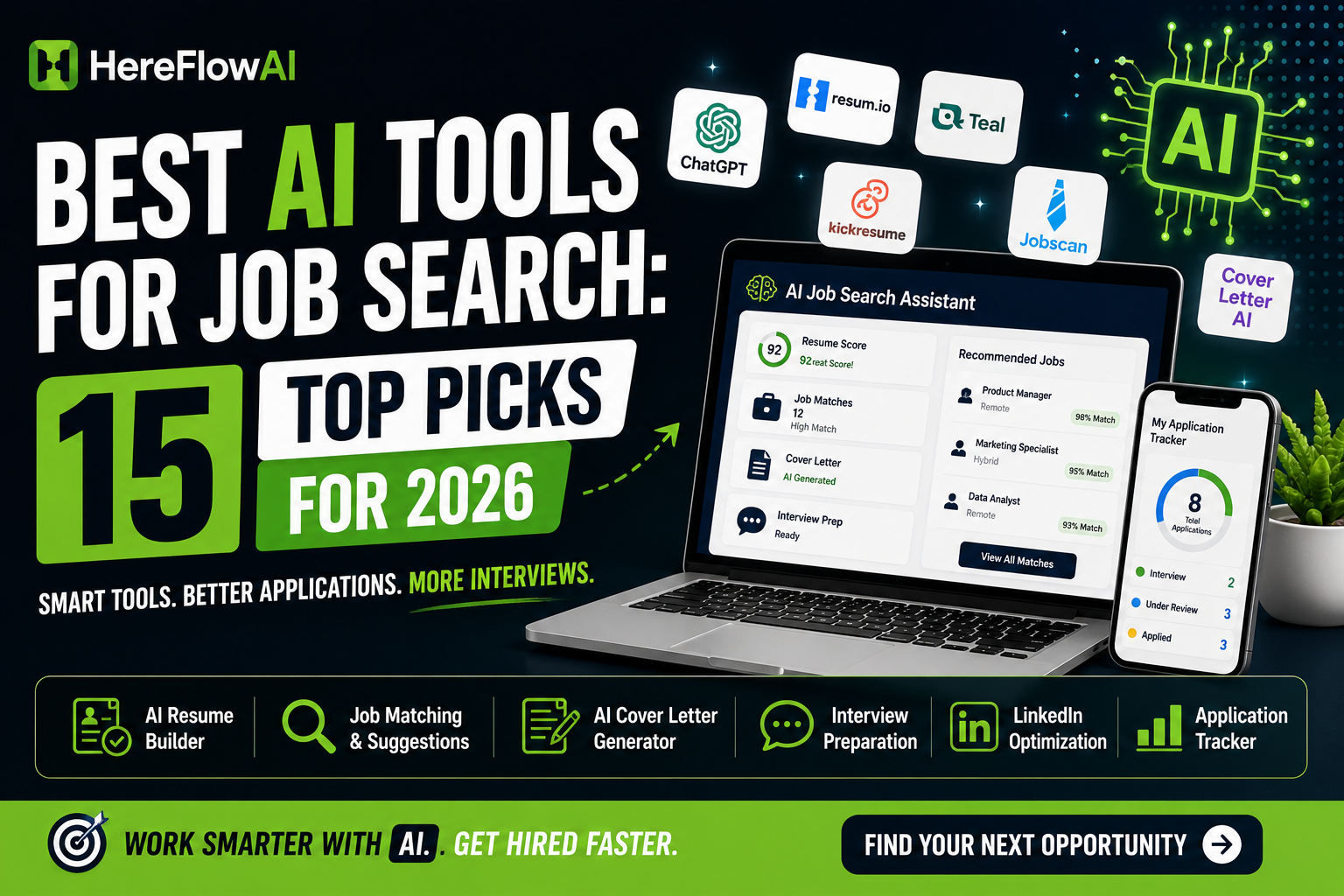

Finding a job in 2026 is no longer just about searching job boards and sending the same resume everywhere. The best AI tools for job search can now help you research companies, tailor your resume, improve ATS compatibility, organize applications, write stronger responses, and practice interviews.
The problem is that using too many tools can make your job search more complicated instead of easier.
This guide breaks down 15 AI tools by the specific problem they solve, so you can build a simple job-search workflow instead of signing up for every platform you see.
Quick recommendation: Most job seekers do not need 15 subscriptions. Start with one resume tool, one application or tracking tool, and one interview-preparation tool. Add more only when you have a specific problem to solve.
HereFlowAI note: For this 2026 update, we reviewed the current feature and pricing information published by the platforms themselves. Features and plans change frequently, so always verify the latest details before paying.
Table of Contents
How We Chose the Best AI Tools for Job Search
A useful job-search tool should do more than generate generic text.
We prioritized tools that solve a clear part of the hiring process: resume creation, ATS optimization, job discovery, application tracking, application autofill, company research, networking support, or interview preparation.
We also favored tools that keep the job seeker in control. AI should help you work faster and make better decisions, not invent qualifications or automatically submit inaccurate information.
The strongest job-search workflow in 2026 is still human-led: AI handles research, repetition, organization, and first drafts while you verify facts and make the final decisions.
Best AI Tools for Job Search in 2026
1. Resume.io — Best Overall for Building a Professional Resume
Resume.io is one of the easiest places to start if your current resume needs a complete rebuild.
Its AI resume builder helps turn your experience into structured resume content, suggests skills based on the target role, supports keyword matching, and includes matching cover-letter tools.
Resume.io currently offers a free plan with limited functionality as well as a paid trial that unlocks its premium tools.
Best for: Beginners, career changers, and people who need a professional resume quickly.
What makes Resume.io useful is the guided workflow. Instead of asking a general-purpose chatbot to create an entire resume and then manually formatting everything, you work inside a system specifically designed for resumes.
Its biggest limitation is that the free version is fairly restricted, particularly for premium downloads and templates.
If your biggest problem is creating a polished resume rather than analyzing one you already have, Resume.io is a strong starting point.
HereFlowAI pick: Use Resume.io to create your master resume, then tailor that master version to individual jobs rather than rebuilding from zero every time.
Read our full Resume.io Review 2026.
2. Jobscan — Best for ATS Resume Matching
Jobscan is best used after you already have a reasonably strong resume.
You paste or upload your resume, add the job description, and Jobscan compares the two. Its scanner looks for missing keywords, skills, formatting issues, job-title alignment, and other signals that can affect how an application is processed.
Jobscan says its current scanner performs more than 30 checks and provides an initial resume match report for free.
Best for: Job seekers applying to competitive positions through applicant tracking systems.
The useful part is not chasing a perfect numerical score. It is identifying obvious mismatches between what the employer asks for and what your resume actually communicates.
For example, you may genuinely have experience with a required technology but describe it using different terminology. A matching tool can expose that gap.
Do not add keywords for skills you do not have. ATS optimization should improve communication, not create false qualifications.
3. Teal — Best Free All-in-One Job Search Workspace
Teal combines several parts of the job search into one platform: resume creation, job tracking, keyword matching, browser-based job saving, and AI writing assistance.
Its free tier currently includes unlimited resumes and job tracking, while advanced matching and AI features have higher limits on its paid plan.
Best for: People managing multiple applications at the same time.
Teal is particularly useful when your biggest problem is organization.
After 20 or 30 applications, it becomes surprisingly easy to forget which resume you used, when you applied, who contacted you, and what the next step should be.
A dedicated job-search workspace is much cleaner than maintaining several random spreadsheets, browser tabs, documents, and notes.
4. Careerflow — Best AI Career Copilot
Careerflow tries to cover almost the entire job-search journey in one place.
Its current toolkit includes an AI resume builder, ATS analysis, resume tailoring, application tracking, job search, application autofill, LinkedIn optimization, networking tools, and mock interviews.
Best for: Job seekers who want one central career platform instead of several specialized tools.
Careerflow becomes especially interesting once your job search is larger than simply “write resume → apply.”
You can use it to manage applications, identify hiring managers, track networking contacts, analyze job fit, and prepare for interviews without constantly moving information between different systems.
That breadth is also its tradeoff. If you only need a resume builder or ATS scanner, a more specialized tool may feel simpler.
5. Simplify Copilot — Best for Faster Job Applications
Simplify attacks one of the least enjoyable parts of job hunting: entering the same information into application forms again and again.
Its browser extension can autofill common fields using information stored in your Simplify profile, upload resumes, help with job-specific questions, track submitted applications, and assist with tailoring resumes.
Simplify says its Copilot can autofill applications across many major ATS platforms while keeping the final review and submission under your control. Core autofill, tracking, job matches, and basic resume features are currently available free.
Best for: High-volume applicants who still want to review every application themselves.
This is the kind of automation we prefer.
Saving five or ten minutes of repetitive typing is useful. Automatically sending hundreds of generic applications without reviewing them is usually not.
Use Simplify to remove administrative work, then spend the saved time improving application quality.
6. Huntr — Best for Job Tracking and Resume Tailoring Together
Huntr combines a visual job tracker with AI resume tools.
You can save opportunities, track application stages, manage contacts and documents, tailor resumes to job descriptions, identify keywords, generate cover letters, and use application autofill.
Its free plan currently includes a resume builder, PDF export, a job tracker for up to 100 jobs, basic matching, and other job-search features.
Best for: Organized job seekers who want resume tailoring connected directly to their application tracker.
Huntr becomes useful when you start creating several versions of the same resume.
Instead of ending up with files named resume-final, resume-final2, and resume-really-final, you can keep the relevant version connected to the job you actually used it for.
7. Rezi — Best ATS-First AI Resume Builder
Rezi is built heavily around ATS-friendly resume creation and optimization.
Its system includes keyword targeting, AI bullet generation, resume scoring, formatting guidance, and job-description matching. Rezi currently allows users to build and download a resume for free, with additional features available through paid plans.
Best for: People who care more about resume structure and ATS compatibility than highly decorative designs.
One of Rezi’s strongest ideas is that writing, keyword alignment, and structure should be handled together instead of treating ATS optimization as a final check.
That makes it useful when applying through systems such as Workday, Greenhouse, Lever, and similar recruiting platforms.
8. Kickresume — Best for AI Writing Plus Resume Design
Kickresume combines AI-generated resume content with professionally designed templates.
Its current tools can generate job-specific resume content, tailor a resume from a job description, produce cover letters, and help prepare for interviews. The platform also advertises more than 40 resume templates and free access to try its AI resume builder.
Best for: Job seekers who want both strong presentation and AI writing assistance.
Kickresume sits between a traditional visual resume builder and an AI career tool.
That makes it particularly useful if you want something more polished than a plain document without manually designing a resume in Canva or another graphic-design platform.
For ATS-heavy applications, keep your chosen design simple and prioritize readability over decoration.
9. Resume Worded — Best for Diagnosing an Existing Resume
Resume Worded is useful when you already have a resume but are unsure why it is not performing.
Its resume-analysis tools review areas such as impact, brevity, style, skills, formatting, and ATS readability. The platform currently offers an initial resume review free and also includes LinkedIn optimization and job-targeting tools.
Best for: People who prefer feedback and diagnostics instead of having AI rewrite everything automatically.
This difference matters.
Sometimes your resume does not need to be rebuilt. It needs five specific improvements.
A diagnostic tool can help you identify those changes while allowing you to preserve your own language and professional identity.
10. ChatGPT — Best Flexible AI Assistant for Job Seekers
ChatGPT is no longer limited to writing cover letters and practicing interview questions.
As of June 1, 2026, ChatGPT can surface live jobs for eligible users in the United States and can help users create, upload, tailor, and format English resumes on the web. OpenAI also publishes job-search workflows focused on truthful resume writing, transferable skills, application preparation, and interview practice.
Best for: Flexible research, resume tailoring, interview practice, networking drafts, and analyzing job descriptions.
The advantage of ChatGPT is flexibility.
You can paste a job description and ask it to identify required skills, compare those requirements with your real experience, suggest questions you should prepare for, improve resume bullets without inventing facts, or simulate a recruiter interview.
The risk is also flexibility.
A general AI assistant will produce what you ask for, so weak prompts can create generic or exaggerated content.
Give it your real experience, define what it is allowed to change, and explicitly tell it not to invent achievements, metrics, certifications, or responsibilities.
11. Perplexity — Best for Employer and Job-Market Research
Perplexity is not primarily a career platform. It is an AI search engine, and that is exactly why it can be valuable during a job search.
Its search and Research modes gather current information from the web and provide citations to original sources, making it useful for researching employers, industries, competitors, recent company developments, and market trends.
Best for: Research before applications, networking conversations, and interviews.
Before an interview, for example, you could research the company’s recent product launches, leadership changes, competitors, major challenges, and industry trends.
That information can make your interview answers much more specific.
Always open the original sources and verify important details instead of repeating an AI summary blindly.
12. Claude — Best for Long Documents and Career Context
Claude is especially useful when your job search involves a lot of context.
On supported plans, Claude Projects lets you keep documents, instructions, and conversations together inside a dedicated workspace. Claude can also analyze uploaded documents and help with writing and editing.
Best for: Career changers, senior professionals, long resumes, portfolios, and application projects with lots of background information.
A useful setup is to create one career project containing your master resume, target roles, verified achievements, project notes, and preferred writing style.
You can then ask Claude to compare new job descriptions against that material while keeping the broader context available.
As with every general AI system, manually verify anything that could affect your professional reputation.
13. Gemini — Best for Job Seekers in the Google Ecosystem
Gemini can be useful for job seekers who already work heavily with Google services.
Google’s current Gemini documentation includes career-oriented workflows such as comparing a resume with a job posting, extracting qualifications and keywords, drafting a role-focused resume and cover letter, and providing career guidance based on resume information.
Best for: People whose documents and workflow already live inside Google’s ecosystem.
Gemini should not replace a dedicated ATS tool when you need detailed resume scoring, but it can be a strong general assistant for analyzing roles, drafting application material, organizing information, and preparing questions.
14. Yoodli — Best AI Communication Coach for Interviews
A strong resume may get you the interview. It will not answer the questions for you.
Yoodli focuses on spoken communication and allows users to practice interviews with AI-generated questions and dynamic follow-ups based on their answers. It also provides feedback on communication.
Its current Starter plan is free and includes a limited number of roleplay sessions.
Best for: People who know what they want to say but struggle to deliver it clearly under pressure.
This is especially valuable for behavioral interviews.
Reading an ideal STAR answer is different from saying it naturally out loud while being interrupted with follow-up questions.
Record yourself, review your delivery, improve one weakness, and repeat.
15. Final Round AI — Best for Structured AI Mock Interviews
Final Round AI offers job-specific mock interviews that can use your target role and job description to generate questions and provide feedback.
Its mock-interview product currently supports behavioral and technical practice, gives feedback on factors such as clarity and structure, supports multiple languages, and allows users to start with a free mock interview.
Best for: Candidates preparing for demanding behavioral, technical, or role-specific interview rounds.
Final Round AI also promotes live interview assistance. We recommend using AI primarily for preparation and practice unless you are certain that real-time assistance is permitted by the employer and interview rules.
Your goal should be to improve your ability to answer independently, not create a dependency during the interview itself.
Which AI Job Search Tools Do You Actually Need?
Do not build your job search around collecting software.
Build it around bottlenecks.
If your resume is weak, start with Resume.io, Rezi, or Kickresume. If you already have a resume but need better job-description alignment, use Jobscan or Resume Worded. If application organization is becoming chaotic, use Teal, Careerflow, or Huntr. If repetitive forms consume your time, Simplify is one of the most practical additions. If interviews are your weak point, practice with Yoodli or Final Round AI.
General AI assistants such as ChatGPT, Claude, Gemini, and Perplexity work best as supporting tools around that core workflow.
A Smarter AI Job Search Workflow for 2026
The biggest mistake is using AI to apply to more jobs without improving the quality of the applications.
A better approach starts with one target role.
Research the role and employers. Build one strong master resume. Find relevant positions. Analyze each job description before applying. Tailor the resume using only skills and experience you genuinely have. Submit the application after reviewing every AI-generated field. Track the opportunity and any follow-up. Then practice specifically for that employer before the interview.
AI should reduce repetitive work so you can spend more time on the decisions that actually matter.
That is a much stronger strategy than sending 200 nearly identical applications.
How to Use AI Without Making Your Applications Sound Generic
Recruiters are seeing more AI-generated content, which means generic phrases are becoming easier to notice.
Do not ask an AI tool to “make my resume impressive.”
Give it evidence.
Tell it what you actually built, improved, managed, repaired, sold, measured, reduced, increased, or delivered. Ask the AI to improve clarity while preserving every fact.
A good rule is simple: if a recruiter asks you about a sentence in your resume, you should be able to explain exactly what it means and prove that it is true.
AI can improve presentation. It cannot replace credibility.
Are Free AI Job Search Tools Enough?
For many job seekers, yes.
You can build a surprisingly strong workflow using free tiers from several platforms. Resume building, basic ATS analysis, job tracking, research, and interview practice all have free options somewhere in this list.
Paid plans become more useful when the limitation itself is slowing your search: you need unlimited tailoring, more scans, more AI generations, advanced tracking, or repeated interview simulations.
Do not pay for five premium platforms at the beginning of your search.
Start free. Identify the bottleneck. Pay only when removing that bottleneck is worth more than the subscription.
Final Verdict: What Is the Best AI Tool for Job Search?
There is no single winner for every stage.
For resume creation, Resume.io, Rezi, and Kickresume are strong options. For ATS analysis, Jobscan is more specialized. For managing the entire search, Teal, Careerflow, and Huntr provide broader workflows. Simplify is particularly useful for reducing repetitive application work. Yoodli and Final Round AI are better suited to interview preparation.
And general assistants such as ChatGPT, Claude, Gemini, and Perplexity become powerful when you give them accurate context and use them for research, analysis, and preparation.
The best AI tools for job search are ultimately the ones that remove a real obstacle in your process without removing you from the decision-making.
Frequently Asked Questions
What is the best AI tool for job searching in 2026?
It depends on the problem you need to solve. Resume.io is useful for creating a resume, Jobscan specializes in ATS matching, Simplify reduces repetitive application work, Teal and Careerflow organize multiple stages of the search, and Yoodli or Final Round AI can help with interview practice.
Can AI apply for jobs for me?
Some platforms offer automated or partially automated application features. However, we recommend keeping a human review step before anything is submitted. Incorrect answers, outdated resume versions, or poorly targeted applications can damage the quality of your search.
Can I use ChatGPT for job applications?
Yes. ChatGPT can help analyze job descriptions, tailor truthful resume content, draft application responses, research roles, and practice interviews. It should not be used to invent experience, qualifications, achievements, or credentials.
What AI tool is best for ATS resumes?
Jobscan, Rezi, Resume Worded, Resume.io, Teal, and several other tools on this list include ATS-focused functionality. The best choice depends on whether you need to build a resume from scratch or analyze an existing resume against a specific job.
Should I use the same AI-generated resume for every job?
No. Keep a strong master resume, then create a targeted version for important applications. Tailoring does not mean rewriting your entire career history; it means emphasizing the most relevant truthful experience, skills, terminology, and achievements for the specific role.
Best AI Job Search Tools 2026: Quick Comparison
| AI Tool | Best For | Free Option | Main Strength |
|---|---|---|---|
| Resume.io | Resume creation | Yes | Guided AI resume workflow |
| Jobscan | ATS matching | Yes | Job-description matching |
| Teal | All-in-one job search | Yes | Resume + job tracking |
| Careerflow | Career management | Yes | End-to-end career toolkit |
| Simplify | Application autofill | Yes | Faster application forms |
| Huntr | Application tracking | Yes | Tracking + resume tailoring |
| Rezi | ATS resumes | Yes | ATS-first resume scoring |
| Kickresume | Resume design | Free to try | AI writing + templates |
| Resume Worded | Resume feedback | Yes | Detailed resume diagnostics |
| ChatGPT | Flexible job-search help | Yes | Research, writing & practice |
| Perplexity | Company research | Yes | Current research with sources |
| Claude | Long documents | Yes | Context-heavy analysis |
| Gemini | Google users | Yes | Career workflows + Google ecosystem |
| Yoodli | Speaking practice | Limited | Interview communication coaching |
| Final Round AI | Mock interviews | Limited | Role-specific interview practice |