

Why Use an AI Resume Builder in 2026?
Affiliate disclosure: HereFlowAI may earn a commission if you purchase Resume.io through links on this page, at no extra cost to you.
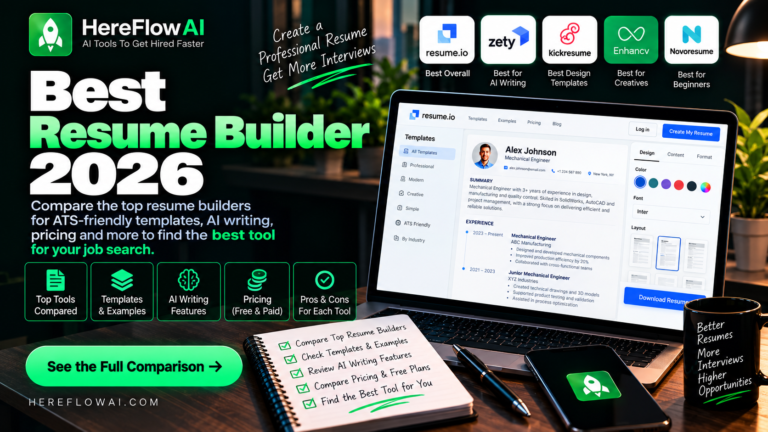
AI resume builders are not all the same. Some focus on writing assistance, some on ATS-oriented keyword matching, some on job tracking, and others mainly on templates. This 2026 comparison looks at current public pricing, free access, AI features and practical trade-offs so you can choose based on your actual job-search workflow.
Method note: This comparison uses public vendor information checked in September 2026. We are not claiming that any builder is “ATS-proof,” and no tool can guarantee interviews or job offers.
AI Resume Builders 2026: Quick Price Comparison
| Tool | Free option | Paid pricing snapshot | Useful for |
|---|---|---|---|
| Resume.io | Free plan; formatted exports require paid access | 7-day premium trial; recurring price varies by market | Guided resume + cover-letter workflow |
| Kickresume | Free plan with basic templates | $24 monthly; $54/quarter; $96/year | AI writing + templates |
| Rezi | 1 resume + limited PDF downloads | $29/month; $149 lifetime | Keyword targeting and ATS-oriented workflow |
| Teal | Unlimited resume creation and job tracking with feature limits | $13/week; $29/month; $79/quarter | Resume tailoring + job tracking |
| Zety | Free builder with TXT download | $1.95/14-day trial, then $25.95 every 4 weeks; $71.40/year | Step-by-step guided writing |
| Novorésumé | Free basic one-page resume | $23.99/month; $59.99/quarter; $199.99/year | Clean templates and fixed premium periods |
Pricing snapshot checked September 2026. Prices, currencies and offers can change; verify the final amount and renewal terms on the provider’s checkout page.
1. Resume.io — Guided All-in-One Workflow
Resume.io combines a resume builder, cover-letter tools, AI-assisted writing, templates and additional job-search features. Its free plan is useful for testing the editor, but formatted exports are part of paid access.
The most important pricing detail is the trial renewal. Resume.io offers a 7-day premium trial in supported markets; after the trial, a recurring plan can renew every four weeks. Resume.io also states that pricing can vary by country and currency.
Good fit if: you want a guided interface and expect to use resume, cover-letter and career tools together.
Watch for: trial renewal and localized pricing. See our Resume.io pricing guide and full review.
2. Kickresume — AI Writing + Templates
Kickresume combines AI writing, resume and cover-letter templates, an ATS resume checker and career tools. Its free plan includes a small set of basic templates and can be used without paying for premium design options.
Current public pricing is $24 per month, $54 every three months, or $96 per year.
Good fit if: you want AI-assisted writing and a usable free starting point.
Watch for: many templates and advanced features require Premium.
3. Enhancv — Visual Customization
Enhancv emphasizes flexible layouts, design customization and guided content suggestions. It can be appealing if you want more visual control than a minimal resume builder.
Good fit if: presentation and customization matter to your target role.
Watch for: highly visual layouts are not automatically better for every application. Keep section headings and core content easy for both recruiters and software to read, and verify current pricing on Enhancv’s own checkout page.
4. Rezi — ATS-Oriented Editing
Rezi puts more emphasis on resume scoring, keyword targeting and job-description alignment. Its free plan currently includes one resume and limited PDF downloads.
Rezi Pro is currently $29 per month, and the lifetime plan is $149 as a one-time purchase.
Good fit if: you want an ATS-oriented workflow and keyword targeting.
Watch for: the free plan is more limited than tools that allow unlimited free resume creation.
5. Teal — Resume Builder + Job Tracking
Teal is built around the wider job-search workflow. Its free plan includes unlimited resume creation and job tracking, with limits on advanced analysis, keyword matching and AI features.
Teal+ is currently $13 per week, $29 per month or $79 per quarter.
Good fit if: you are managing many applications and want resumes, saved jobs and tracking in one place.
Watch for: advanced matching and unlimited AI features require Teal+.
6. Zety — Step-by-Step Resume Guidance
Zety uses a guided builder and writing suggestions. The Basic package is free, but formatted PDF and Word downloads are part of paid access.
Its current public U.S. pricing shows a $1.95 14-day Pro trial that auto-renews at $25.95 every four weeks unless canceled. Zety also lists an annual plan at $71.40 paid upfront.
Good fit if: you want a structured, step-by-step resume and cover-letter workflow.
Watch for: trial auto-renewal and the difference between free TXT export and paid formatted downloads. See Resume.io vs Zety.
7. Novorésumé — Clean Templates With Defined Premium Periods
Novorésumé offers a free basic plan and paid access periods that it describes as non-recurring. The free plan supports a single one-page resume with predefined layouts.
Current public pricing is $23.99 for one month, $59.99 for three months and $199.99 for one year.
Good fit if: you want a clean builder and prefer paying for a defined access period rather than an auto-renewing subscription.
Watch for: the free plan is limited to one page and fewer customization options.
Which Resume Builder Should You Choose?
- Guided all-in-one workflow: consider Resume.io.
- AI writing + templates: compare Kickresume.
- ATS-oriented keyword work: compare Rezi.
- Resume tailoring + application tracking: compare Teal.
- Step-by-step builder: compare Zety.
- Defined premium periods: compare Novorésumé.
There is no single best choice for every job seeker. Your budget, export needs, job-search length and whether you need tracking or keyword matching matter more than a generic score.
How We Compared These Resume Builders
This page compares current public pricing, free-plan limits, export options, writing assistance, ATS-oriented features and job-search workflow. Vendor information was checked in September 2026.
We did not assign fake laboratory scores, claim to have tested every employer ATS, or treat a vendor’s marketing claim as proof of better hiring outcomes. ATS platforms and employer workflows vary.
How to Choose Without Overpaying
- Start from your use case. One resume this week and a six-month job search are different problems.
- Check the free export. A free builder is less useful if you cannot export the format you need.
- Calculate the billing cycle. Four-week billing can create 13 cycles in a 52-week year.
- Compare total cost. Monthly, quarterly, annual and lifetime options can change the economics.
- Tailor the resume to the job. Relevance and clarity matter more than chasing a generic score.
5 Practical Tips for Any AI Resume Builder
- Tailor each version to the job description. Use relevant skills and terminology only when they are accurate for your experience.
- Keep the layout readable. Standard headings and clear chronology reduce parsing problems.
- Use AI as an editor, not an inventor. Never add skills, employers, achievements or numbers you cannot defend.
- Review every generated bullet. Replace generic wording with specific, truthful evidence.
- Save a clean master copy. Keep editable and PDF versions so you are not locked into one platform.
FAQ
What is the best AI resume builder in 2026?
There is no universal best option. Resume.io is useful for a guided all-in-one workflow; Kickresume emphasizes AI writing and templates; Rezi emphasizes ATS-oriented optimization; Teal combines resume work with job tracking.
Are AI resume builders ATS-proof?
No. No builder can guarantee that a resume will pass every ATS or produce an interview. Use these tools to improve structure, relevance and workflow—not as a guarantee.
Can I build a resume for free?
Yes, but export limits differ. Some free plans allow usable downloads while others restrict formatted PDF or Word exports. Check the export format before investing time in a builder.
How much do AI resume builders cost?
Many tools have free tiers and paid plans around the $20–$30 monthly range, while some also offer quarterly, annual or lifetime options. Billing structure can matter as much as the headline monthly price.
Is Resume.io free?
Resume.io has a free plan, but formatted exports are limited. See our Resume.io pricing guide for current plan and renewal details.


[…] Explore more freelancing tools and resources at HereFlowAI →Read next:7 Best AI Resume Builders in 2026 — Tested, Ranked & ATS-Proof → […]
[…] next: How to Create an ATS-Friendly Resume in 2026 →Also read: The Best AI Tools to Boost Your […]
[…] Read next: Top Resume Mistakes That Prevent You From Getting Hired →Also read:7 Best AI Resume Builders in 2026 — Tested, Ranked & ATS-Proof→ […]
[…] are comparing Resume.io with other tools rather than deciding only between Free and Premium, our best AI resume builders comparison covers several alternatives and their pricing […]
[…] For a broader feature comparison, see our best AI resume builders guide. […]
[…] best AI resume builders comparison compares several current options, while our Resume.io review explains when the platform may or may […]
[…] If resume optimization is your main bottleneck, compare our best AI resume builders for 2026. […]